





















Interactive voice menu
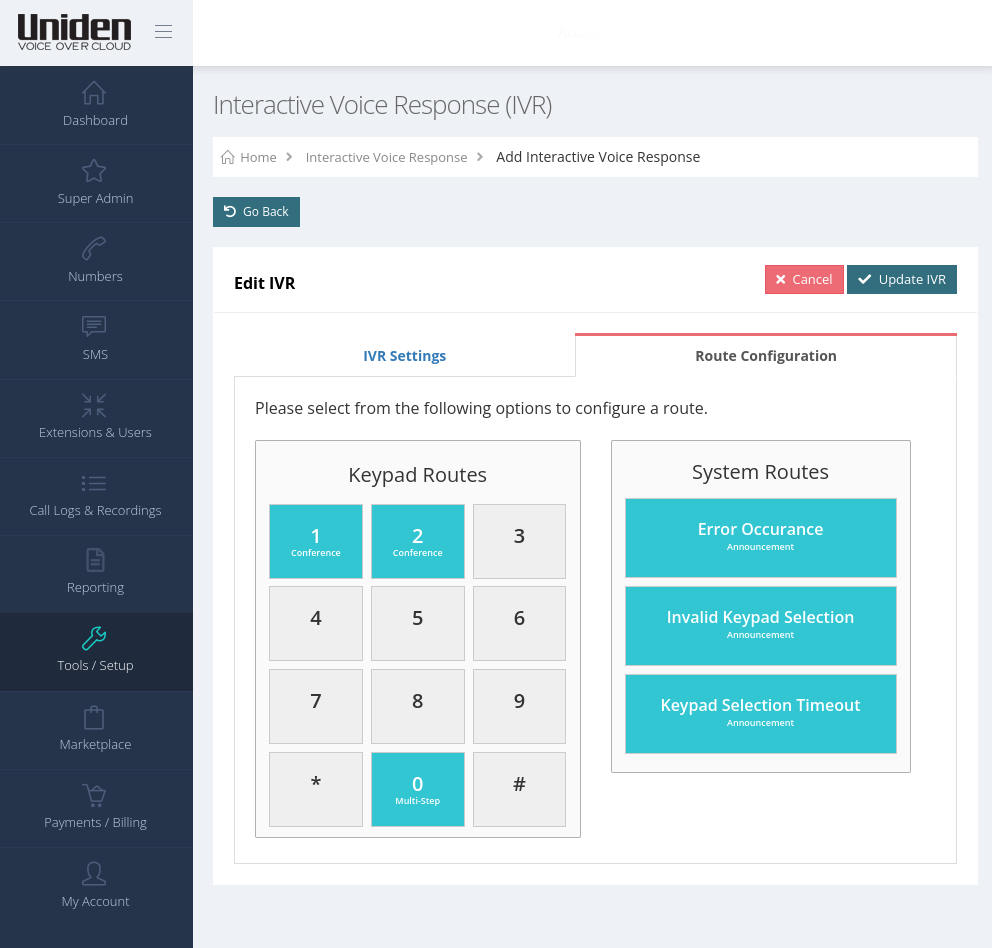
Press one for sales, two for service. Callers pick the department themselves and reach it first go, instead of being passed around.

Click through working demos of the desktop and mobile apps: calls with AI summaries, team chat, SMS and more. No download, no sign up.
Desktop app demoMobile app demoIt answers on your own numbers, books the job, sends an SMS and warm transfers to your team when a person is needed.
Meet your AI agentSee how businesses like yours run their phones on Uniden Voice.
Find your industryOne provider to call when something needs fixing. No finger pointing.
See NBN plansA call flow is the set of rules that decides what happens to a call between the moment it arrives and the moment somebody says hello. You build yours in the customer portal, you change it whenever the business changes, and you never wait on a technician to do it.
Or talk it through with someone in Australia on 1300 881 662, Monday to Friday, 9am to 5pm AEST.
This is a fairly ordinary flow for a business with a few departments. Every box below is something you can add, remove or reorder yourself.
Your 1300 number, a local number, or a direct line
A time condition checks the hour, the day and your holiday list
"Thanks for calling. Press one for sales, two for service, three for accounts."
The message lands in the right inbox as an audio file
Your trading hours, read out in a natural voice you typed in
Picked up first thing in the morning
For the jobs that will not keep until Monday
That is the version most providers can build. Now here is the one they cannot
Any provider can put a menu in front of a caller. This is the part that is harder to copy. When someone rings your 1300 number from a mobile, the Australian networks hand over a MOLI code, a Mobile Originated Location Identifier, which narrows them down to a suburb or town before anybody says hello. We route on that. And the destination can be an AI agent briefed on that region.
From a job site in Newcastle, say
Mobile Originated Location Identifier, accurate to a suburb or a town, on toll free numbers
Hundreds of Australian location areas, from individual city zones to the outback
Briefed on the Newcastle team, the local service area, your trading hours and your price list, in a voice you chose
The fields you asked for, emailed to you and posted to your own systems by webhook
Not every call can be located. A landline gives limited detail, an international call may give none, and a VoIP call can be plain wrong
Setting a default route is the one step we insist on, so no call is ever dropped for want of a location
Every one of these is included in the plan, and every one of them can sit anywhere in a flow. Most businesses use five or six.
Press one for sales, two for service. Callers pick the department themselves and reach it first go, instead of being passed around.
Different handling by hour, by day of the week, and on the public holidays you nominate. Set it once and stop remembering to divert the phones on Friday afternoon.
Ring several handsets together, or one after another in an order you choose. Mobiles can sit in the group alongside desk phones.
Callers wait in order with your own greeting rather than an engaged tone. Pick from several ring strategies so the load lands where you want it.
The end of most flows. The message arrives in the right inbox as an audio file, so it gets dealt with between jobs rather than at the end of the day.
Send a step in the flow to a mobile and it is invisible to the caller. Useful for the on call phone, and for the days when nobody is at the desk.
Type the greeting and hear it read back in a natural voice, in a choice of languages. No studio booking to change your Christmas message.
Record a whole flow or one step of it, for training, for quality, or because your industry requires it. Recordings are retrievable from the portal.
Send callers to their nearest branch based on where they are calling from, rather than making them work out which office to ring.
Drop the numbers you never want to hear from again before they reach a step in the flow, including known nuisance callers.
One way or two way texting from the same numbers, so a caller who could not get through can be sent an address or a booking time instead.
A 1300 number lets customers call you nationwide for the cost of a local call. An 1800 number makes it free for them. Both drop into a flow like any other number.
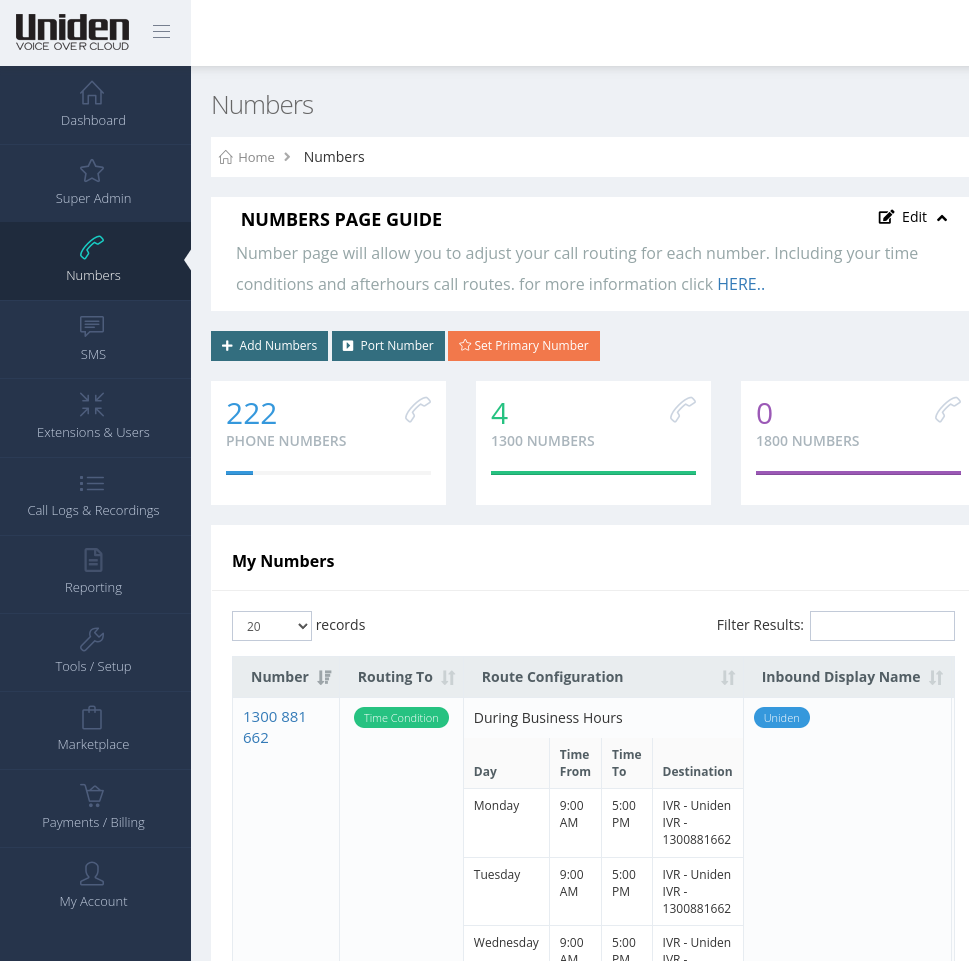
Most phone systems turn a routing change into a support ticket. Here it is a screen in your own portal, so the person who knows the business is the person editing it.
Three businesses, three different problems, three flows built from the same parts.
Everyone is on a roof or under a sink, and the office phone rings out to voicemail that nobody checks until Friday.
Mornings are a wall of calls, patients get an engaged tone, and the ones who give up book somewhere else.
One number on all the advertising, and every call about stock or trading hours lands on the same desk.
No. The portal is built for the person who runs the business, not for a network engineer. You pick a destination for each menu key from a list, set your hours on a weekly grid, and save. There is no scripting and no config file. If you would rather we set the first one up with you, that is what the demo is for.
Yes, as often as you like, and it takes effect straight away. That is the point of having it in your own portal. Stocktake on Thursday, a staff member off sick, a different mobile on call this weekend: edit the step, save it, done. No support ticket and no waiting for a technician's next available slot.
The flow runs in the cloud, not on a box in your office, so it keeps running even when your office connection does not. Add a step that sends calls to a mobile and they arrive on the mobile network instead. Staff can also keep working on the mobile app over 4G or 5G while the office is offline.
A key in a menu can lead to another menu, so you can nest them as deep as the business needs. Worth saying though: callers get impatient after the second layer. Most of the flows that work well are one menu, then a group or a queue, then voicemail. If you find yourself building a fourth level, a queue is usually the better answer.
Yes. A ring group can contain desk handsets, the mobile app and an ordinary mobile number in any combination, ringing all together or one after another in an order you set. Whoever picks up first gets the call, and the caller has no idea which one they reached.
Yes. Number porting is free and your existing number keeps working on your old service until the port completes, so no calls are lost in the changeover. You can also add a new local, 1300 or 1800 number and point it at a different flow, which is a tidy way to measure a marketing campaign. See business phone plans for what is included.
Yes. One flow can reach handsets in as many locations as you have, and location based routing can send a caller to their nearest branch automatically. Each site can still keep its own hours and its own after hours behaviour inside the same flow.
No. Flows can route to the free mobile and desktop apps, so you can be up and running without buying a handset. Most businesses do end up with desk phones at the places people sit, and the Uniden EVOC2 is plug and play when you want them.
The flow in this page took about ten minutes to build. Book a demo and we will do the same with yours, using your real numbers, your real hours and your actual staff.