





















Order and pick your number
Sign up online or call us. Choose a plan, then either tell us the number you want to bring across or pick a fresh local, 1300 or 1800 number.

Click through working demos of the desktop and mobile apps: calls with AI summaries, team chat, SMS and more. No download, no sign up.
Desktop app demoMobile app demoIt answers on your own numbers, books the job, sends an SMS and warm transfers to your team when a person is needed.
Meet your AI agentSee how businesses like yours run their phones on Uniden Voice.
Find your industryOne provider to call when something needs fixing. No finger pointing.
See NBN plansUniden Voice over Cloud replaces your old phone line or ageing PBX with a cloud phone system built for Australian business. Everything your first user needs ships in one box, including the handset, the apps, three months of calls and your number brought across for free.
Or talk to someone in Australia on 1300 881 662, Monday to Friday, 9am to 5pm AEST.


No quote to chase, no site visit to schedule, no list of extras to work out afterwards. This is what turns up when you order a single user.
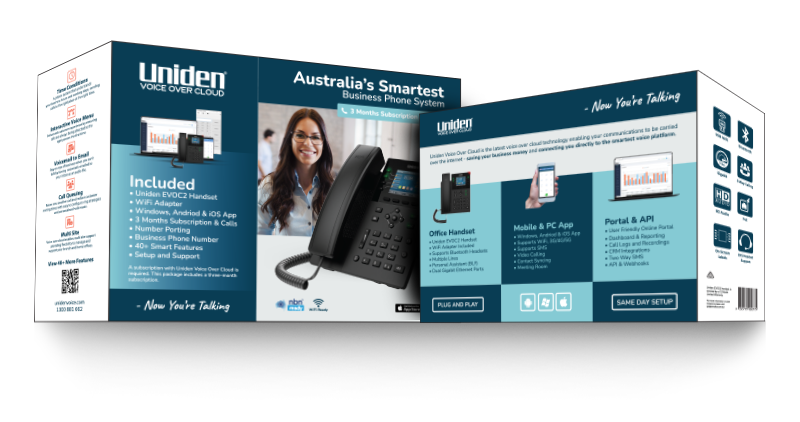
The flagship desk phone, already provisioned for your account.
Put the phone where the desk is, not where the data point is.
Your business number on your own phone, at no extra cost.
Calls, chat and contacts on the computer they already use.
Included calls to Australian mobiles, national and local numbers.
Keep the number on your van and your website, or pick a new one.
We configure the account so the first call works, not the fifth.
Menus, queues, voicemail to email and reporting, all in the plan.
Switching a business phone system used to mean a cabinet on the wall, a technician on site and a day without phones. None of that applies now.
Sign up online or call us. Choose a plan, then either tell us the number you want to bring across or pick a fresh local, 1300 or 1800 number.
The EVOC2 provisions itself over Wi-Fi or a network cable. There is no PBX to mount, no config file to edit and no technician to book.
Set your business hours, build a ring group, record a menu for callers and have voicemail land in your inbox. Change any of it later from the portal.
Because the system runs in the cloud rather than in a cupboard at head office, a staff member on site, at home or in the car is on exactly the same phone system as the person at reception.
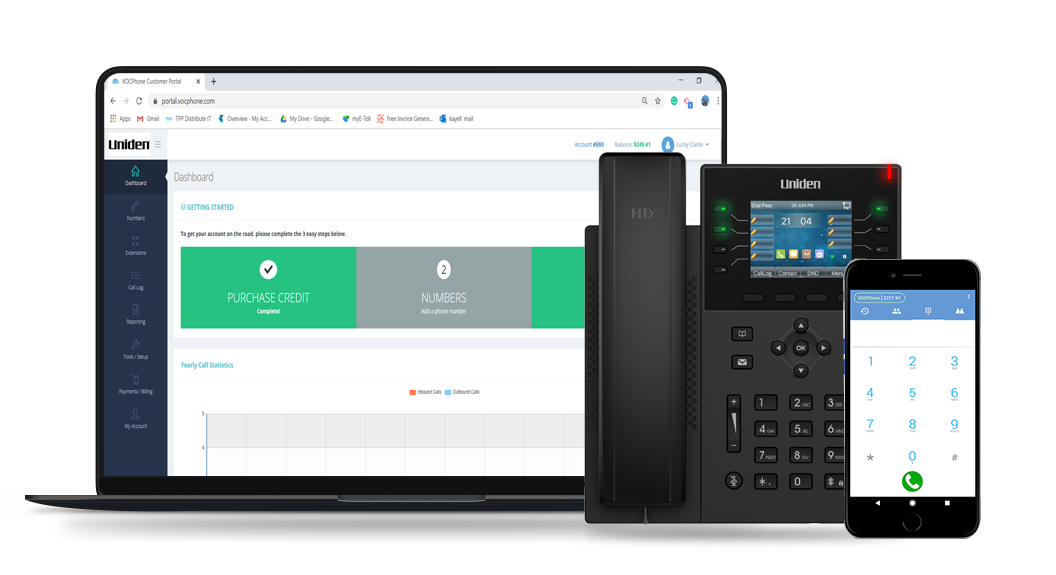
Take the business number with you. Staff stay reachable on the road without a second phone or a diverted line.
Video meetings and screen sharing with staff, customers and suppliers, so a job can be sorted out in one call.
The portal is built for business owners, not network engineers. You do not need an IT department to add a user.
Add users when you take on staff and remove them when the busy period ends. Useful if your trade has a quiet winter.
See how many calls came in, how many were missed and where they went, then export it to Excel, PDF or CSV.
Pay as you go or an inclusive call pack, whichever suits how your business actually picks up the phone.
Every account comes with a video meeting room. Send a link to whoever needs to be there, including people outside the business, and they join from a browser.
These are in the plan, not on a price list. There are more than forty in total, and you can switch any of them on from the portal.
Messages arrive in your inbox as an audio file, so you can listen when you are free to.
A phone system that knows your trading hours and sends after hours calls somewhere sensible.
Callers wait in an orderly queue with your own greeting instead of hearing an engaged tone.
Press one for sales, two for service. Callers reach the right person the first time.
Keep recordings on the phone, on the PC, or in the cloud for easy access later.
On the EVOC2, the mobile app or the PC softphone, see who is on a call before you transfer.
Type your greeting and menu prompts, and have them read out in a natural voice.
One way or two way business texting, sent straight from your customer portal.
Automate reporting and wire the phone system into your own tools. Business and Enterprise plans.
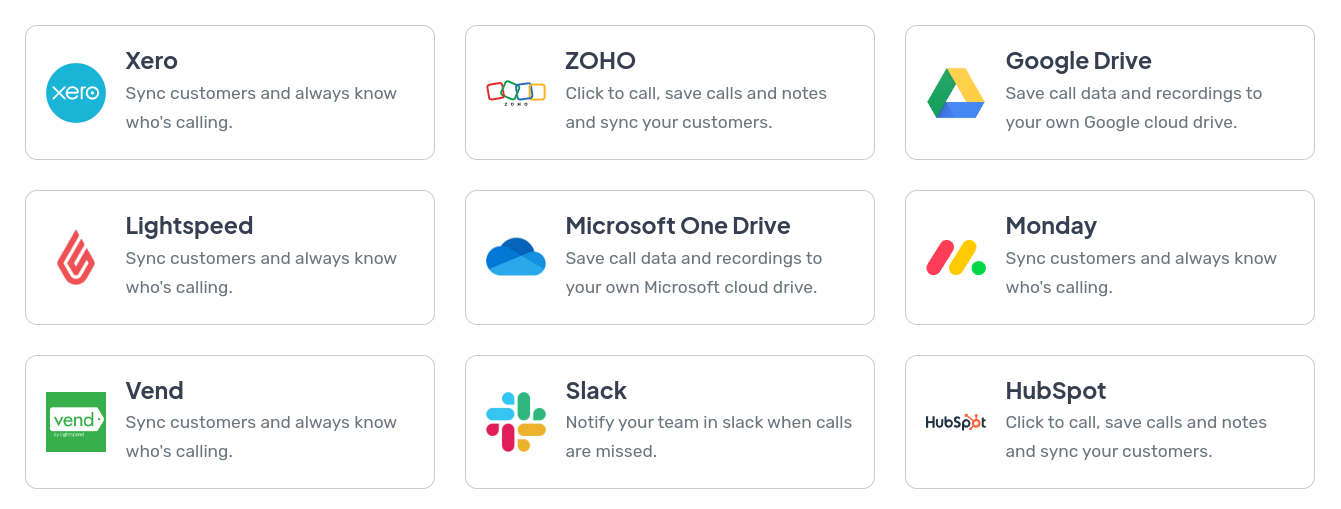
Turn an integration on from the marketplace in your portal. Your CRM can dial a customer with one click and save the recording against their record, and a name can appear on the handset instead of an unfamiliar number.
Yes. Porting your number across is free, and it is the part most businesses worry about most. Your number stays live on your old service while the port is arranged, so you do not lose calls in the meantime. If you would rather start fresh, you can pick a new local number, or a 1300 or 1800 number instead.
The kit is designed for same day setup. We configure the account before the box ships, so when the EVOC2 handset arrives you plug it into power and your network, and it provisions itself. Number porting is the one part that runs on the outgoing carrier's timetable rather than ours, which is why we keep your old service running until it completes.
No. The phone system runs in the cloud, so there is no hardware to mount in a cupboard, nothing to maintain on site and no upgrade bill in a few years' time. The handset is plug and play, and the Wi-Fi dongle in the box means you do not have to pay for a data point to be run to the desk.
Any reliable business grade connection will do. We are also an nbn ready provider, so if you would rather have one company and one bill for both, you can take your internet from us alongside the phones. Have a look at the nbn internet plans to see what that costs.
There are no lock in contracts. Setup is free, porting is free, and call packs have no contract either, so you can scale users up when you take staff on and back down when a busy period ends.
Anything from a single user to more than a thousand, across as many sites as you have. A sole trader with one handset and a national business running queues across several branches are on the same platform, just with different plans. See the pricing overview for how that scales.
Yes. The mobile app for iOS and Android and the desktop app for Windows, macOS and Linux are included for every user. Staff make and take calls on the business number without giving out their personal one, so a tradesperson in a van and someone working from the kitchen table are both on the office phone system.
An Australian support team, on 1300 881 662, Monday to Friday between 9am and 5pm AEST. Uniden has been a name in Australian homes and businesses since 1966, and hardware, software and support all come from the one vendor, so there is no arguing about whose problem it is.
Sign up online in a few minutes, or book a demo and we will show you the portal, the handset and the apps with your own business in mind. Free setup, free number porting, no lock in contracts.