



















Why This Decision Lands on Your Desk
Very few business owners wake up and decide to research phone systems for fun. The question of hosted versus on-premise usually turns up because something has forced it. If one of these sounds familiar, you are in the right place.
- The maintenance contract is up for renewal. The invoice arrives, it is bigger than last year, and you start wondering what you are actually paying for.
- The installer has told you the system is near end of life. Parts are getting hard to find, the firmware is no longer being updated, and the quote to replace it has a comma in it.
- You are moving premises or opening a second site. Shifting a physical PBX, recabling the new office and linking two locations is a project in itself.
- Half the team now works from home some days. Calls to the main number still ring desks that nobody is sitting at.
- You have just had an outage. The power went off, or the box died, and for a morning nobody could ring you.
- A customer complained that nobody answered. Missed calls after hours or at lunch are now costing you work.
Each of these is really the same question wearing a different hat: should you keep owning and running the hardware that connects your calls, or should you hand that job to a provider and pay for it as a service? The rest of this guide answers that question in the order most owners think about it, starting with what a PBX is and ending with how the switch is done.
$10K-50K+
common day-one spend on an on-premise PBX
$0
hardware you must buy to start on hosted
3-5 yrs
typical life before a box needs replacing
1966
the year Uniden started in communications
A Quick PBX Refresher (and the Jargon)
PBX is short for Private Branch Exchange. Put simply, it is the switchboard for your business. It decides which desk rings when a customer calls, lets a staff member reach a colleague by dialling a short extension, plays the greeting that asks callers to choose sales or accounts, holds people in a queue with music, and sends unanswered calls to voicemail. It is also what connects your internal phones to the public phone network, so one set of outside lines can be shared by everyone in the building rather than each desk needing its own.
The things a PBX looks after for you, day in and day out:
- Extensions: short internal numbers so Sarah in accounts is 204 rather than a full ten-digit number.
- Greetings and menus: the auto-attendant or IVR that welcomes callers and sends them to the right place.
- Ring groups and queues: several phones ringing at once, or callers waiting their turn in order.
- Transfers, hold and parking: passing a caller to someone else without dropping them.
- Voicemail and after-hours rules: what happens when nobody can pick up.
- Outside lines: the trunks that carry calls between your business and everyone else.
The words people use, decoded
| Term | What it means in plain English |
|---|---|
| PABX | Private Automatic Branch Exchange. An older label from when switchboards stopped needing a human operator. Today it means the same thing as PBX. |
| VoIP | Voice over Internet Protocol. Calls travel as data over an internet connection instead of over copper phone lines. |
| IP PBX | A PBX that works with VoIP inside the business. It can still be a box in your building. |
| Hosted, cloud or virtual PBX | An IP PBX that runs in a provider's data centre. You use it through apps and IP phones and pay a monthly fee. |
| On-premise PBX | Any PBX whose hardware sits in your own premises, which you buy and look after. |
| SIP trunk | The internet-based outside line that most modern on-premise boxes rent separately to reach the public network. |
How we got here, from someone who was around for it
Uniden has been making communications gear since 1966, so the company has seen every stage of this story. In the early decades a business switchboard was a cabinet of analogue equipment wired to copper lines. Every new extension meant pulling cable, every desk move meant booking a technician, and if the cabinet failed the whole office went quiet.
Digital systems cleaned up call quality and added voicemail and basic reporting. Then calls started travelling over data networks, and the IP PBX arrived. It was still often bolted to a wall in the comms room, but underneath it had become a computer running software. That was the turning point. Once a switchboard is just software, there is no reason it has to live in your building. Providers moved it into professional data centres, kept it patched and backed up, and began charging a monthly fee per user. That is the hosted PBX.
The newest step is AI. Because a hosted PBX runs on modern servers that the provider keeps updating, it can add things like AI agents that answer calls in a natural Australian voice, work out what the caller wants and book them in. A box installed in your building a few years ago was never built to run that kind of software, and it will not learn how.
Box on the Wall vs Service in the Cloud
Ignore the brand names for a moment. The single question that separates the two models is who owns the equipment and whose problem it is when it needs attention. With an on-premise PBX, that is you. With a hosted PBX, it is the provider, and you simply use the service.
Here is a scenario that makes the difference concrete. Picture a 12-person accounting practice with an on-premise system installed when they fitted out the office. The box lives in a cupboard next to the server, it is on a maintenance agreement with the original installer, and the outside lines come from a separate carrier. When a new graduate starts, the practice manager emails the installer, waits a few days for a visit, and pays for the callout. When the partners want a different greeting over Christmas, same again. When one partner starts working Fridays from home, the installer quotes for a softphone licence and a VPN.
Now picture the same practice on a hosted PBX. The new graduate gets an extension the day they start, set up remotely by the provider. The Christmas greeting is changed in an afternoon. The partner working from home opens the app on a laptop or mobile and takes calls on the practice number as though sitting at the desk. Nothing in the cupboard needed touching, because there is nothing in the cupboard.
The comparison, framed as the questions owners ask
| Your question | Box on the wall (on-premise) | Service in the cloud (hosted) |
|---|---|---|
| What do I pay on day one? | Hardware, handsets, licences and installation up front | Little or nothing; apps run on devices you already own |
| Who keeps it patched? | You, or a contractor you pay | The provider, automatically |
| How do I add a person? | Licences, maybe new cards, and a technician | A configuration change that takes minutes |
| Can staff work from home? | Only with VPNs or extra kit | Yes, through the mobile and desktop apps |
| What if the office loses power? | Phones stop until the box is back | Calls can go to staff mobiles instead |
| Can it answer calls with AI? | No practical way to add it | Yes, on platforms that build it in |
| What happens in year five? | Usually a full replacement project | Nothing; the platform keeps being updated |
The Five-Year Money, Worked Through
Most phone system arguments are really money arguments, so let's do the sums properly. There are two numbers that matter. The first is what leaves the bank account in the month you install. The second is what the system costs you over its whole working life, which for an on-premise PBX is usually three to five years before it needs a major spend again. Accountants call the first one CapEx (capital expenditure) and the ongoing version OpEx (operating expenditure), and the two models sit at opposite ends.
Where an on-premise quote comes from
An on-premise PBX is less a purchase than a small building project. The usual line items for an Australian small or medium business are:
- The PBX itself (an appliance or server): roughly $3,000 to $20,000 or more, depending on how many lines it handles and whether it has redundancy built in.
- Desk handsets: roughly $150 to $400 each, multiplied by every desk.
- Software licences: charged per user or per feature, and often several thousand dollars on their own.
- Installation, configuration and cabling: roughly $2,000 to $10,000 or more.
- The supporting bits: a UPS for backup power, network switches and a cupboard or comms room to keep it in.
Added together, most on-premise projects come in somewhere between $10,000 and $50,000 or more before anyone makes a call. From that day the equipment is losing value on your books.
A worked example: a 10-person office
To show how the numbers stack up, take a 10-person office and use only the lowest end of each range above. This is deliberately generous to the on-premise side.
| Line item | On-premise, low end | Hosted with Uniden Voice Over Cloud |
|---|---|---|
| PBX hardware | $3,000 | $0, nothing to buy |
| Handsets | 10 x $150 = $1,500 | $0 using the free apps, or 10 x $249 EVOC2 = $2,490 if you want desk phones |
| Installation | $2,000 | ✓ Free setup |
| Day-one subtotal (before licences) | $6,500 | $0 to $2,490 |
| Maintenance over five years | $1,000 a year x 5 = $5,000 | ✓ Part of the monthly fee |
| Licences, line rental, callouts | Extra, and they vary | Per-user monthly fee |
| End of life | Start again with a new box | ✓ Nothing to replace |
Even at the cheapest end of every range, and before a single licence, line rental bill or technician callout is counted, the on-premise office has spent around $11,500 over five years and owns a box that now needs replacing. Push any of those inputs toward the middle of their ranges and the figure climbs quickly. On the hosted side, the main cost is the monthly per-user fee, which already covers the maintenance, patching and upgrades the on-premise office pays for separately. Your own numbers will differ, which is exactly why we offer to run them with you.
The Costs That Never Make It Onto the Quote
A PBX quote shows you the box. It rarely shows you what keeping the box alive will cost. Over three to five years, set money aside for: a maintenance contract (commonly $1,000 to $5,000 or more a year), firmware and security updates, failed parts and backup power, SIP trunk or line rental, a technician every time someone joins, leaves or moves desks, lost business while the system is down, and finally a complete replacement. Across the life of the system, those extras can easily match the original purchase price, and often exceed it.
Paying Monthly Is About More Than Cash Flow
Moving from a big capital spend to a monthly fee keeps cash in the business, but it also removes a quieter problem. Once you have sunk tens of thousands into a box, it is very tempting to keep it running long after it has stopped serving you, simply because of what it cost. A hosted service never puts you in that position.
It also means you pay for the team you have now. If you have eight people this quarter and fourteen next, the bill follows, rather than being set by a guess you made about capacity when you signed the purchase order.
"I can't thank the team at Uniden Voice Over Cloud enough for our upgraded phone system. They managed to get my number back online after my previous provider disconnected my service, in a matter of 30 minutes we were back to business. The whole setup process was fast and exactly what we needed." Lukey Luke, Owner, Benzina Garage
Running It Day to Day: Changes, Growth, New Sites
The purchase price gets all the attention, but the real friction of an on-premise PBX shows up in the ordinary weeks after it is installed. Every business changes shape over a year, and each change is either a phone call to your provider or a job ticket for a technician.
Growing and shrinking
An on-premise system is sized on the day you buy it. Say you bought for 20 people and the business grows to 25. You may now need more licences, extra port cards or even a bigger appliance, plus someone to fit them. Going the other way is worse. If you drop back to 15, the hardware you bought for 20 does not get cheaper, so you keep carrying capacity you do not use. The result is that businesses either buy more than they need at the start or end up in an awkward upgrade later.
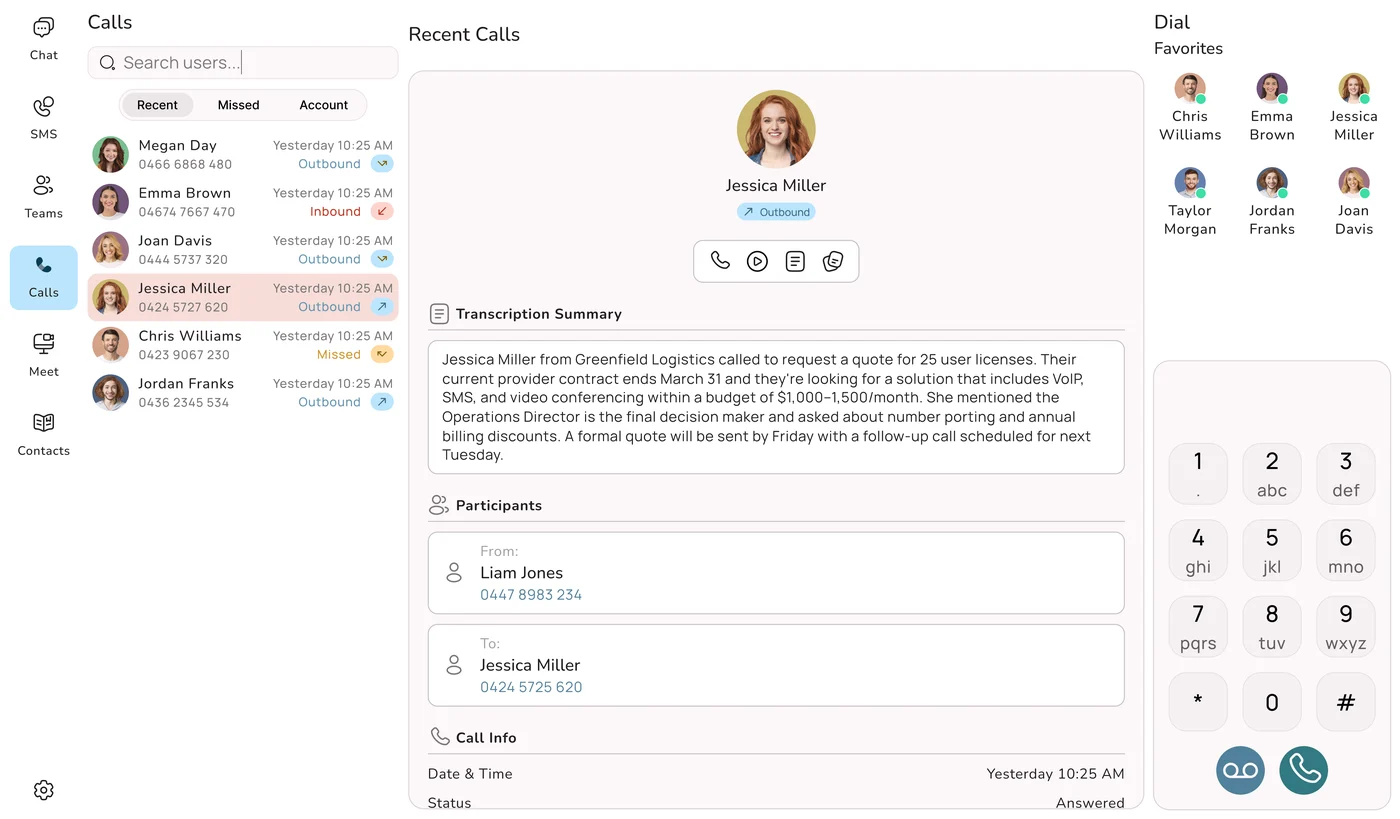
On a hosted PBX, a new user is a setting, not a part. It is done in minutes, and removing someone is just as quick, with the cost dropping off straight away. That is a big help for businesses with busy seasons, like a tax practice in July or a retailer before Christmas, and for teams that grow and shrink with projects. Uniden Voice Over Cloud has no minimum number of users, so a sole trader can start on one and grow into the hundreds without ever changing systems.
New sites, numbers and features
- A second location: with on-premise, a new office often means a second box and a way to link the two. On a hosted PBX the new site just joins the system you already have, sharing extensions and call flows.
- Extra numbers: adding a 1300 or 1800 number, or more local numbers, takes very little time on a hosted platform. With Uniden Voice Over Cloud, 1300 and 1800 numbers are from $19.90 a month, and extra numbers are $3.90 a month.
- New capabilities: call recording, unlimited call packs and integrations can be turned on when the business needs them, rather than waiting for a hardware upgrade.
Who does the work
One of the less obvious costs of on-premise is the owner's or office manager's time. Somebody has to log the job, chase the technician and check the change was made properly. With Uniden Voice Over Cloud a dedicated account manager makes moves, adds and changes for you, and the management portal is simple enough for routine tweaks, like an after-hours greeting, if you would rather do them yourself.
What Happens on a Bad Day
Every phone system looks fine when everything is working. The real test is what happens when something goes wrong, because when the phones stop, so do enquiries, bookings and orders.
Scenario one: the power goes off
A storm knocks out power to your street mid-morning. With an on-premise PBX, the box in the cupboard runs for as long as its UPS lasts and then stops. Your desk phones go dead with it. Customers ringing your main number hear nothing useful, and that continues until the power is back and the system has restarted.
With a hosted PBX, the switchboard is not in your building at all. It keeps running in the data centre, and calls to your number can be sent to staff mobiles through the app. Your team keeps answering from their phones, using the business number, while the office sits in the dark.
Scenario two: the box itself fails
Hardware wears out. A power supply fails, a card dies, a hard drive gives up. An on-premise PBX is a single point of failure, so one faulty part can silence the whole business until a technician arrives with the right replacement. If the configuration was not backed up, they may also have to rebuild your extensions and menus from scratch. A hosted PBX runs in professional data centres with backup power, more than one network path and copies held in separate places, designed so that a failed component does not take the service down.
Scenario three: the office internet drops
This is the fair question to ask of any cloud phone system, since it relies on a connection. The answer is automatic failover. If the office link goes down, calls are rerouted to staff mobiles through the app, so callers still reach a person. With Uniden Voice Over Cloud, the mobile app keeps you connected whatever the office internet is doing, and 24-hour local Australian support is there if you need to talk to someone.
Get the Connection Right Too
Call quality on any hosted PBX depends on the internet connection it uses. A stable, business-grade service with enough headroom for voice makes a real difference, particularly in a busy office where downloads and video calls compete with phone calls. Ask any provider what they commit to on service and support, and check how the phones and the internet connection are looked after together.
Uniden Voice Over Cloud offers business nbn plans alongside its phone plans, so one Australian team is responsible for both and there is no finger pointing between two providers when something needs fixing.
The maintenance you never see
Outages are not only about storms and failed parts. An on-premise PBX also needs firmware updates, security patches, configuration backups and someone keeping an eye on it. If the patching slips, the system becomes a security risk. If the backups slip, one hardware fault can wipe your setup. Every one of those jobs costs time or money, and on a hosted PBX the provider does them as part of the service.
"Knowing that our phones are always connecting our customers with the right staff has streamlined our customer engagement. Having features like this, which are usually only available to larger companies, in a cost-effective manner is excellent. Now that I am using the mobile application I can stay connected with my business when I am out of the office." Marie-Claire, Owner, Wealth of Health
Staff Away From the Office, Security and Data
Hybrid teams, field staff and hiring further afield
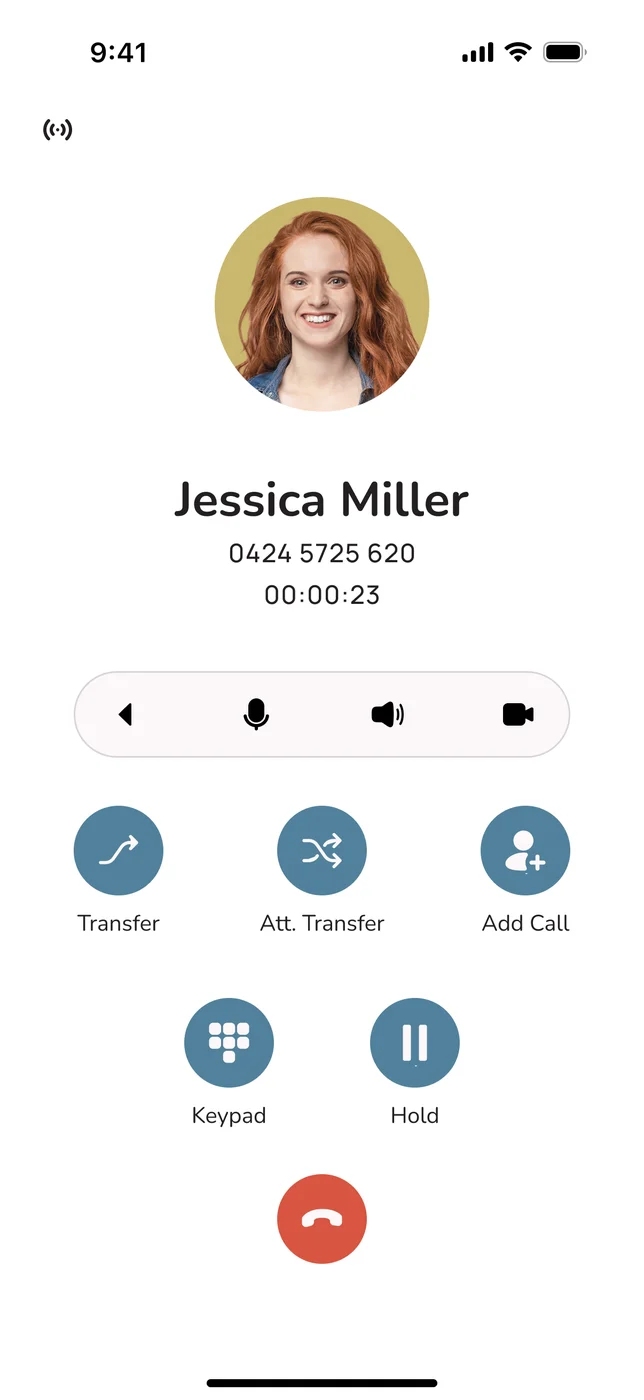
An on-premise PBX assumes everyone sits in one building. Making it work for people at home or on the road means adding VPNs, softphone licences or extra hardware, and the experience is often patchy. On a hosted PBX, where someone is sitting stops mattering. Staff use the same business number and every feature through free apps for Android and iOS, and for Windows, Mac and Linux desktops. A sales rep in the car, a bookkeeper working from home two days a week and the receptionist at the front desk all answer the same main number and transfer calls between them.
There is a quieter benefit too. When the phone system goes wherever your people go, you are no longer limited to hiring within commuting distance of the office. A good candidate in another town can do the job properly from day one, because the phones work the same for them as for everyone else. And if the office is ever out of action, whether from a flood, a fire alarm or a building repair, the business keeps taking calls.
Security: control versus responsibility
Owning the hardware gives you physical control of it, and some organisations like that. The catch is that it also makes you completely responsible for securing it: keeping it patched, locking down access and watching for misuse. Many small businesses do not have the time or specialist staff to do that well, and an unpatched phone system is an easy target. A reputable hosted PBX provider includes encryption, ongoing patching and monitoring as part of the service, which usually goes well beyond what a small business could set up and maintain itself.
Where Your Call Data Lives Matters
For an Australian business, the location of your voice and call data is a privacy and compliance matter, not just a technical one. Plenty of international hosted PBX services route and store data on servers in the US, Europe or Asia. That can create extra obligations under the Privacy Act 1988 and the Australian Privacy Principles, and the extra distance can add delay that hurts call quality.
Uniden Voice Over Cloud runs on 100% Australian-hosted servers. Your call data stays in the country, calls travel a shorter distance, and your answer to "where is our data held?" is simple. Many businesses assume they need an on-premise box to keep data onshore. In practice a locally hosted cloud PBX gives you the same answer without the hardware to look after.
Features You Keep, and What AI Adds
A common worry when moving off an old system is losing something the team relies on. The opposite is far more likely. A modern hosted platform covers everything a traditional PBX does and then adds things an on-premise box cannot.
Everything you use today
Extensions, auto-attendants, IVR menus, ring groups, call queues, transfers, hold music, voicemail and voicemail-to-email, call recording, conference calls and reporting are all standard on a hosted PBX. Uniden Voice Over Cloud includes 50+ premium features in its plans rather than splitting them into higher-priced tiers. Most businesses gain features in the move rather than giving any up.
The reporting deserves a special mention. On a hosted system it is easy to see when calls peak, how long people wait, and how many go unanswered. That turns guesswork into something you can act on. If Monday mornings are swamping the front desk, you can see it and add another person to the ring group, or let AI pick up the overflow.
The part on-premise cannot do
AI is where the gap becomes impossible to close. It belongs to cloud platforms and is, for practical purposes, impossible to add to an older on-premise box. On Uniden Voice Over Cloud, AI is part of the system, not a bolt-on. Uniden AI Agents can:
- Answer and make calls in natural Australian voices, trained on your own business information.
- Work out what a caller wants and send them to the right place, rather than making them listen to a menu and press numbers.
- Transcribe calls so conversations become searchable records you can actually use.
- Pick up at any hour, so after-hours and lunchtime calls are not lost.
Think of a plumber who used to lose the 7pm burst-pipe call to voicemail. With an AI agent on the line, that caller is answered, the details are taken and the job is booked, and the plumber sees a summary in the morning. No on-premise PBX bought even a few years ago can do that, and none will be upgraded to.
Connecting the phones to the rest of your software
Most businesses now run on a handful of apps. Uniden Voice Over Cloud connects directly with Xero, MYOB, Salesforce, HubSpot, Zoho, Google My Business, Slack, Google Drive/OneDrive, Monday, Lightspeed and Vend, and open APIs cover anything custom. Getting an older on-premise system to talk to these usually means paying for middleware or custom development. When an incoming call can open the right CRM record or match a caller to their Xero account, staff spend less time typing and more time helping.
AI on Every Line
AI agents with Australian voices handle inbound and outbound calls as part of the system, not as a separate product.
Plays Well With Your Apps
Direct links to Xero, MYOB, Salesforce, HubSpot, Zoho and others, with open APIs for the rest.
Reporting You Can Use
See call volumes, waiting times and missed calls, and adjust staffing or routing to match.
Every Device Covered
Free apps for Android and iOS, plus desktop apps for Windows, Mac and Linux.
Updates Arrive by Themselves
New features and security fixes roll out automatically, with no upgrade projects or planned downtime.
Changes in Minutes
Users, numbers and features are added without purchase orders, port cards or a technician visit.
Do You Still Want Desk Phones?
Moving to a hosted PBX does not mean giving up a proper handset. Plenty of people, receptionists and anyone on the phone all day especially, prefer a physical phone on the desk, and that is fine. The difference is that on a hosted system the handset is optional, not the thing that makes the system work.
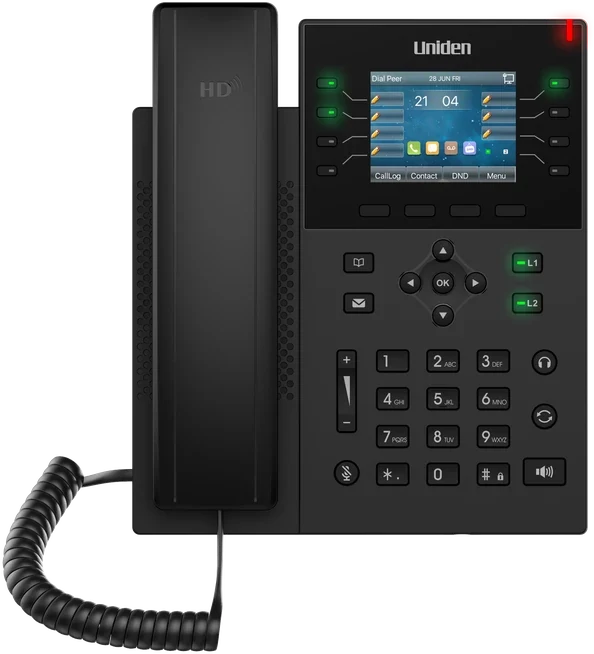
This is where the Uniden name matters. Australians have been picking up Uniden phones at home for decades, and the same hardware know-how goes into the business range. The Uniden EVOC2 is a Bluetooth office handset with HD audio that costs a one-time $249 and configures itself when you plug it into your network. There are conference phones for meeting rooms and headsets for people who live on calls, so you can mix desk phones, apps and headsets in whatever way suits each role.
If you want everything sorted at once, the Uniden business phone package brings the phone system and the hardware together, ready to go. Compare that with an on-premise setup, where handsets are often tied to one maker's PBX and become e-waste when the box is retired.
How the Switch Actually Happens
The most common reason owners put off leaving an on-premise PBX is fear of the changeover itself: losing numbers, missing calls, or a day where customers get a dead line. Done properly, none of that happens. A well-planned move to a hosted PBX involves zero downtime for your customers.
Your numbers come with you
Under Australian number portability you keep the numbers your customers already know, whether they are landline, mobile, 1300 or 1800. Uniden Voice Over Cloud looks after the porting for you and currently offers free number porting for a limited time. The important detail is that your existing service stays working until the port is complete, so calls keep arriving the whole way through.
The changeover, step by step
- Start with a conversation: a free demo where we look at how calls move through your business today, including extensions, menus, after-hours rules and any software the phones need to talk to.
- Set up the new system alongside the old one: extensions, greetings and menus are rebuilt, AI agents are trained and integrations connected, while your current system carries on as normal.
- Let the team try it: staff install the free apps, make test calls internally and externally, and get comfortable before any number moves.
- Move the numbers: numbers are ported with the old system still running as a safety net until the cutover is done.
- Settle in: your dedicated account manager keeps a close eye on the first few weeks and fine-tunes anything that needs it.
For most owners, the whole process feels like a few short conversations rather than an IT project they have to manage.
Retiring the old equipment
Once the numbers have moved and the team is comfortable, the old PBX can be switched off. Cancel the line rental and the maintenance agreement that went with it, and those costs come straight off your books. It is sensible to leave a short overlap for peace of mind before the box goes for good.
When Keeping Your Own PBX Is the Right Call
We would be doing you a disservice if we said hosted was right for literally everyone. For the large majority of Australian businesses it is, but a small and shrinking group still has good reasons to keep hardware on site, or to run a mix of both.
- Sites without dependable internet: a remote location with an unstable connection and no realistic backup link may still need a local system, because a cloud PBX relies on that connection.
- Rules that demand on-site hardware: a few regulated environments have policies requiring all voice traffic and recordings to stay on equipment they control. Note that most Australian data sovereignty concerns are met by a locally hosted cloud PBX such as Uniden Voice Over Cloud, so check what your rules actually require.
- Large, heavily customised contact centres: organisations with deep custom links into an older system may prefer to move in stages.
- A brand-new system: if you have just made a large investment in on-premise gear, it can be reasonable to get some use from it first, as long as you plan the move rather than drift.
Even in these groups the trend is towards the cloud. Hybrid setups let an organisation keep a local piece while moving most of the work to a hosted platform, and better connectivity across Australia keeps chipping away at the internet objection. If your business is not clearly on that list, hosted is the sensible default for 2026.
For IT Providers and MSPs Looking After PBXs
If you are the IT provider who maintains on-premise phone systems for clients, the shift to hosted does not have to cut you out. The Uniden dealer and partner program lets MSPs and IT providers offer Uniden Voice Over Cloud to their own clients and keep the relationship.
Why Uniden Voice Over Cloud
Once you have decided hosted is the way to go, the next question is which provider. There are plenty of capable ones. Here is why Australian businesses choose Uniden Voice Over Cloud.
A Name You Already Know
Uniden has been part of Australian homes and businesses since 1966. Uniden Voice Over Cloud is that brand's business phone system, built for the local market rather than adapted from overseas.
Hosted Here
Call data stays on Australian servers, for shorter call paths, clear audio and a simple position under the Privacy Act 1988.
AI as Standard
AI agents trained on your business, with Australian voices, for incoming and outgoing calls. Part of the system, not an extra you have to buy.
Local Help, Around the Clock
24-hour support from people in your timezone, so a problem is looked at straight away rather than days later.
Real Uniden Hardware
The EVOC2 Bluetooth office handset is a one-time $249 and sets itself up, with conference phones and headsets available too.
Easy to Start
Free demo, free installation and free number porting for a limited time. No minimum users, so one seat is fine.
Add straightforward per-user pricing, 50+ premium features and a dedicated account manager who handles setup and changes for you. You get the reliability, flexibility and AI you would expect from a leading cloud PBX, from an Australian brand that keeps your data at home and answers the phone when you need it.
"Uniden Voice Over Cloud perfectly complements our billing software. The ease of integration with our billing software and great local support improved our own customer interactions and now many of our customers have made the switch." Chris, Operations Manager, PracBill
Questions Business Owners Ask Us
Further Reading
This guide covers the choice between owning your PBX and moving it to the cloud. If you want to go further on a particular part of the decision, these are good next stops.