



















Who Sets the Rules and Who Checks Them
PCI DSS, the Payment Card Industry Data Security Standard, is not an Australian law. It is a set of security requirements written by the PCI Security Standards Council, a body founded by the major card brands. Your obligation to follow it comes from the agreement you signed with whoever lets you accept cards: your bank or payment provider, known in the industry as your acquirer. The card brands enforce it through those acquirers, and the acquirer decides what evidence a business of your size needs to provide.
The current version is PCI DSS v4.0.1. Version 4.0 was retired at the end of 2024, and the batch of newer requirements that had been treated as best practice became mandatory from 31 March 2025. For most small and medium businesses, compliance is shown each year by completing a Self-Assessment Questionnaire, or SAQ. There are several versions, and the one you use depends almost entirely on how card details move through your business. That is why the way you take phone payments matters so much: it decides whether you answer a short questionnaire or a very long one.
Falling short is not a fine from a regulator. It shows up as fees from your acquirer, a much more expensive and disruptive process if card data is ever stolen, and in the worst case the loss of the ability to accept cards at all. Separately, if your business is covered by the Privacy Act, a breach involving customers' card details may also need to be reported under the Notifiable Data Breaches scheme.

Where a Card Number Goes After It Is Spoken
Online, a customer types their card into a payment page that the business never sees. In a shop, the card goes into a terminal. On the phone, the card details are turned into speech, and speech is very good at spreading. Follow one payment from start to finish and count the copies.
- The person who answers. They hear the full number, the expiry and the security code. So might anyone sitting nearby.
- The notepad. If the terminal is slow or the line is bad, digits get jotted down "just for a second". Paper is one of the most common places card data is found where it should not be.
- The phone system. The audio of the call travels over your phone system and network. The PCI Council has specifically warned that many businesses using internet-based phone systems do not realise how that affects what is in scope.
- The recording. If calls are recorded, the card details are now stored in an audio file, often for months.
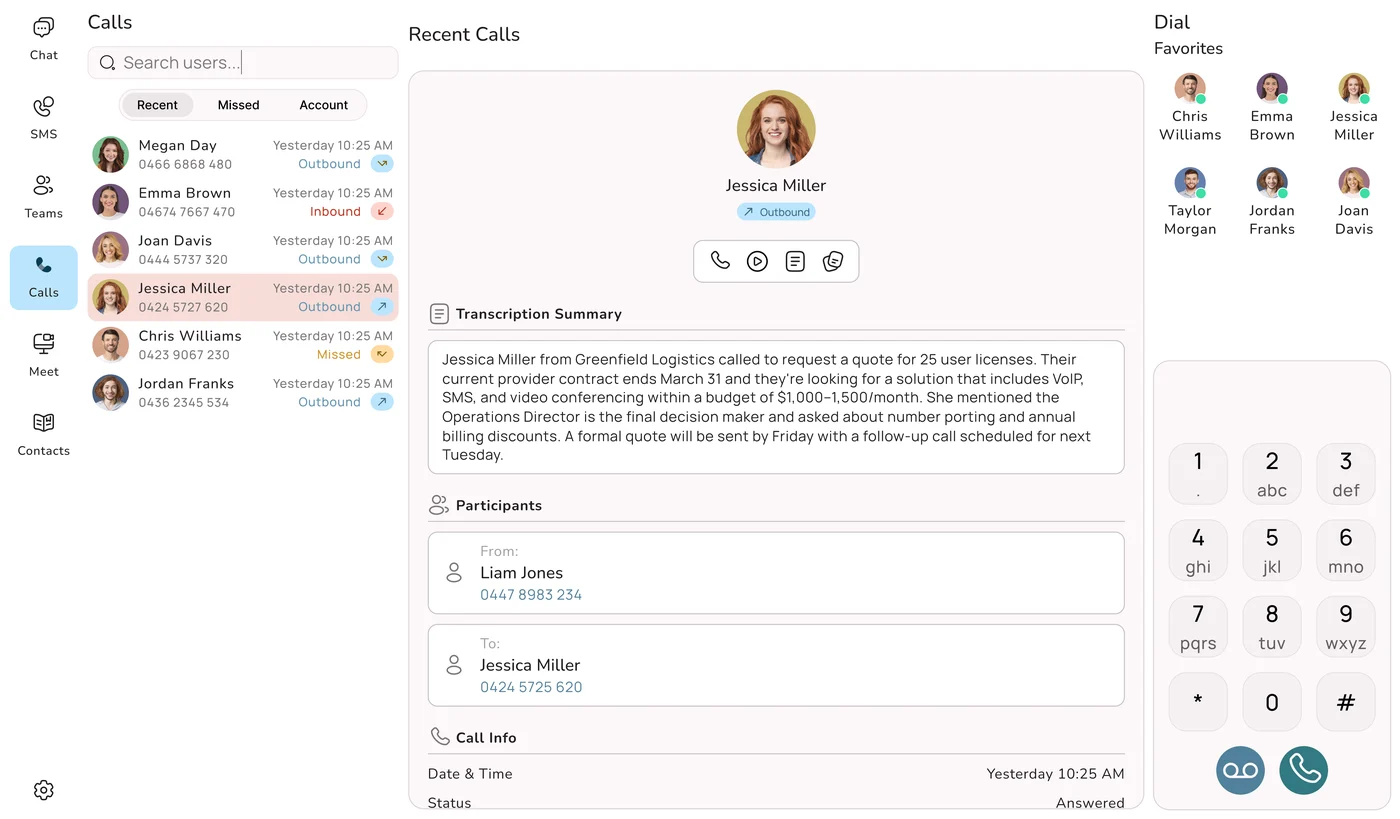
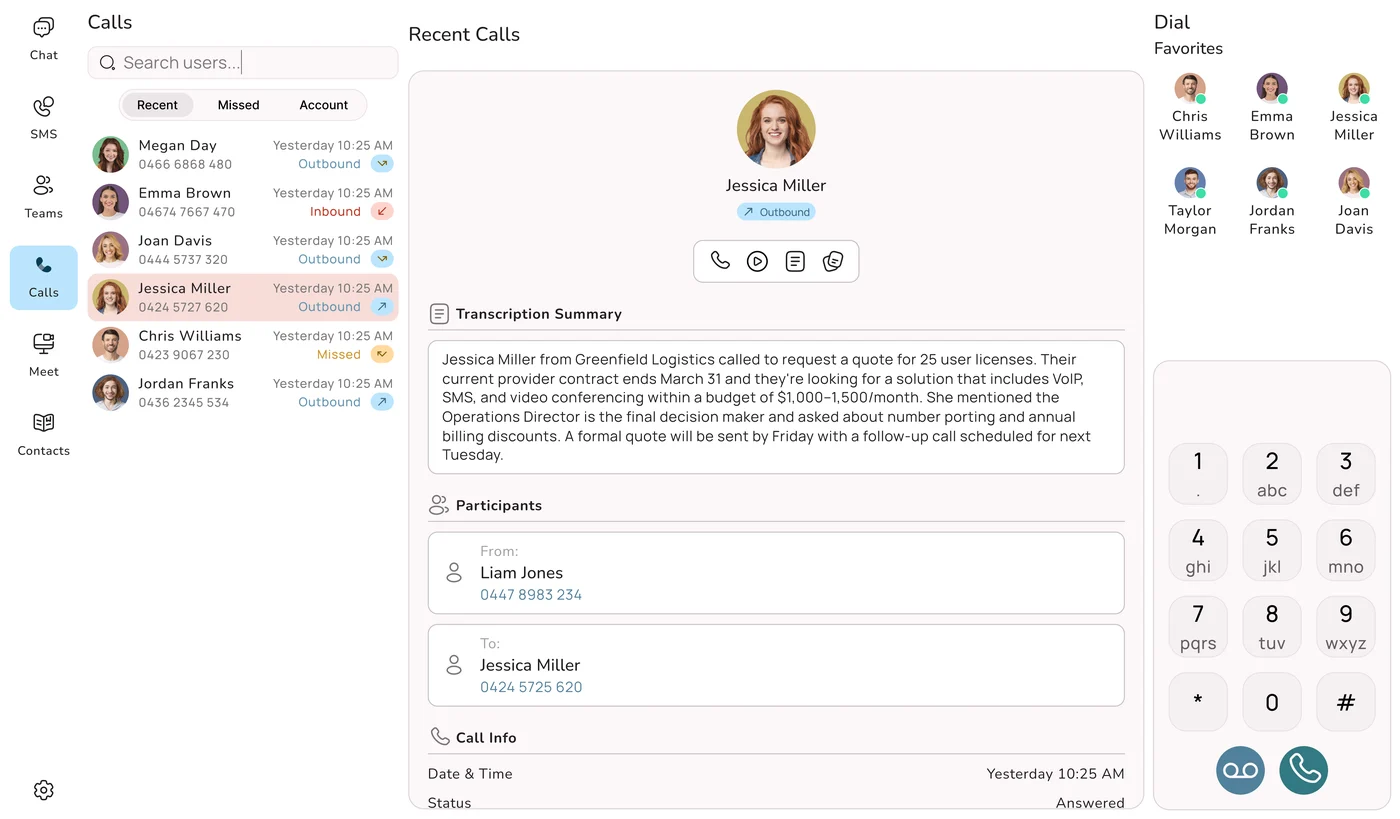
- The transcript and the summary. Many modern phone systems turn recordings into text. A card number in a written transcript or an AI call summary is far easier to search for, copy and leak than one buried in audio.
- Voicemail. Customers sometimes leave their card details in a message, which may then be emailed to a shared inbox.
- Backups and storage. Recordings and voicemails copied to cloud drives, email archives or exports take the card data with them.
None of this is unusual. It is simply what happens when a sensitive number is spoken into systems built to capture and share what is said. The rest of this guide is about cutting that list down.
The Security Code Rule
If you remember one thing from this guide, make it this. The three or four-digit code on the card, which the standard calls sensitive authentication data, must not be kept after the payment has been authorised. Not on paper, not in a spreadsheet, not encrypted and not in a recording. The PCI Council's telephone payment guidance applies this to audio recordings, and the safest reading for a small business is simple: if a recording or transcript contains a card security code, it should not exist.
The card number itself can be stored if there is a genuine business need, but only under the full weight of the standard's storage requirements, which are well beyond what most small businesses want to take on. The practical rule is the same as the Council's own advice: do not keep card data unless the business truly needs it.
Recording every call? Check your payment calls first
Recording all calls is common and often sensible, for training, disputes and record keeping. But if card details are read out on those calls, every recording is now holding data you are not allowed to keep. Fix the payment process before you rely on blanket recording.
Six Ways to Take a Phone Payment, Ranked
Here are the common ways Australian businesses take card payments on a call, from the one that spreads card data furthest to the one that keeps it out of the business altogether. The further down the list you can get, the smaller your PCI job becomes.
6. Writing the card down and keying it in later
The worst option, and still surprisingly common. The card now exists on paper, often with the security code, sitting on a desk or in a drawer. If you do this today, stopping is the single quickest improvement you can make.
5. Keying it straight into a terminal while the call is recorded
Better than paper, but if recording is on, the full card details including the security code are captured in the recording and in any transcript or summary made from it. Your recordings, and the systems that hold them, are now part of the problem.
4. Pausing the recording while the card is read out
Stopping the recording when payment begins and restarting it afterwards keeps card details out of the audio file. The PCI Council lists pausing recording as one way to reduce risk. The weakness is that it usually depends on staff remembering every time, and one missed pause puts the data straight back in. Ask whether your system can pause automatically, and test that it actually works. Staff still hear the card details, so the people and desk controls below still apply.
3. Keypad entry through a validated payment service
Here the customer types their card number on their own phone keypad while staying on the call. A specialist payment service captures the tones, often masking them so that staff hear flat beeps instead of digits, and sends the card straight to the payment processor. The agent never hears the number and the recording never holds it. Ask any provider offering this for proof that the service itself is validated under PCI DSS, and for a clear written split of which responsibilities stay with you.
2. Sending a payment link by SMS
While the customer is on the line, you text them a secure link from your payment provider. They open it, enter their card on the provider's payment page and pay. Card details never pass through your voice call, your staff or your phone system. Because the card is entered on a page hosted by a PCI DSS compliant provider, this approach can, in many cases, keep a business eligible for one of the shortest questionnaires. Your acquirer confirms which one applies. It also suits the way customers already pay for most things.
1. Not taking cards on calls at all
For some businesses the cleanest answer is to stop: invoice with a pay-now link, use bank transfer, or take payment in person. If phone payments are a small share of your takings, it is worth asking whether they are worth the effort.
If you are already rethinking how you take card payments after the surcharge changes, our card surcharge ban checklist covers repricing, invoices and what to tell customers. It is a good moment to change the payment method and the pricing together.
The Desk, the Notepad and the People
Technology is only part of the fix. The PCI Council's telephone guidance is just as concerned with who can hear card details and what they can do with them.
- Limit who takes payments. Card payments should be handled by the people who need to, not whoever grabs the phone.
- No pens, no paper. Make it a firm rule that card details are never written down, and give staff a script for when the terminal is slow: ask the customer to hold, or offer a payment link instead.
- Mind the room. A payment taken at a busy front counter can be overheard, and a screen showing card entry can be seen. Take payments somewhere quieter where you can.
- Home and mobile workers. Staff taking payments from home or on a mobile app add risk the business cannot see. The simplest fix is to keep card details out of their calls entirely with links or keypad entry.
- Protect the accounts. Anyone who can sign in to recordings, call logs or payment portals should use multi-factor sign-in, and leavers should lose access on their last day.
General information
This guide summarises public guidance from the PCI Security Standards Council as read in November 2026. It is not legal advice and it is not an assessment by a Qualified Security Assessor. Your acquirer decides what you need to complete, so confirm your obligations with them.
Cleaning Up Recordings You Already Have
Changing the process fixes tomorrow's calls. It does nothing about the recordings already sitting in your phone system, your email and your cloud storage. Work through these in order.
- Find out where recordings live. In the phone system, in email (voicemail-to-email messages), and in any cloud drive or export you send them to.
- Identify the payment calls. Start with the lines and staff who take payments, and the time period when card details were read out on recorded calls.
- Search the text first. If your calls are transcribed or summarised, search those for runs of digits, expiry dates and words like "card" and "CVV". Text is where card data is easiest to find, and easiest to steal.
- Delete what you should not hold. Remove recordings, transcripts, summaries and voicemails containing card security codes, including copies in shared drives and inboxes.
- Shorten retention. Keep recordings only as long as you genuinely need them, and set the phone system and any storage location to delete automatically after that.
- Tighten access. Check who can play, download or share recordings, and remove anyone who does not need to.
Recording laws are a separate question from PCI DSS. Telling callers they are being recorded is about consent; protecting what the recording contains is about security. Our guide to call recording laws in Australia covers the consent side.
Questions for Your Phone Provider and Your Bank
Most businesses never ask these, and the answers decide how much work PCI DSS is for you. Ask them in writing, and keep the replies with your compliance records.
| Ask your phone provider | Ask your bank or payment provider |
|---|---|
| Can recording be turned off for specific lines, users or calls, such as a payments line? | Which Self-Assessment Questionnaire should we complete, given how we take phone payments? |
| Can recording be paused during a call, and is there an automatic option? | Do you offer payment links we can send by SMS or email while the customer is on the phone? |
| Are calls transcribed or summarised, and can that be switched off for payment calls? | Do you offer, or recommend, a keypad entry service for phone payments, and is it PCI DSS validated? |
| How long are recordings, voicemails and transcripts kept, and can we set automatic deletion? | If we switch to payment links, what changes in our questionnaire? |
| Who in our business can access recordings, and is multi-factor sign-in available? | Are we being charged a non-compliance fee, and what would remove it? |
| Can we send SMS from our business number and a verified sender ID, so customers trust the payment link? | What should we do if we find card security codes in old recordings? |
Taking Payments With Uniden Voice
Uniden Voice is a business phone system, not a payment service, and we do not process card payments for you. What we can do is help you set up your phone system so card details do not end up where they should not be. Uniden Voice is Australian owned and operated, and hosted and supported in Australia. Uniden has been part of Australian business communications since Uniden Australia opened in 1989.
- Payment links by business SMS. Send your payment provider's link from your business number in the desktop or mobile app while the customer is still on the call. Uniden Voice is an ACMA approved provider for verified SMS sender IDs, so the text arrives from a name customers recognise rather than an unknown number.
- Recording set up with payments in mind. Call recording and AI transcription summaries appear in the call log. Talk to our team about how recording is configured on the lines and users that take payments.
- Know where your recordings are stored. If you copy recordings to your own OneDrive or Google Drive, include those folders in your clean-up and retention plan.
- Voicemail to email. Point payment-related voicemail to a small, controlled inbox rather than a widely shared one.
Our local support team is on 1300 881 662, Monday to Friday, 9am to 5pm AEST, and can walk through your recording and SMS settings with you.