


















Your Customers Already Text You
Ask a small business owner whether they "do business SMS" and most will say no. Then ask how a customer confirmed yesterday's booking, or how the office found out the delivery was running late, and the answer is nearly always a text. It just went to somebody's personal phone.
That is the real starting point for most Australian businesses. Texting is already happening. The question is whether it happens on a number the business owns, where the team can see it, or on a handful of private mobiles that the business has no control over.
So what is business SMS?
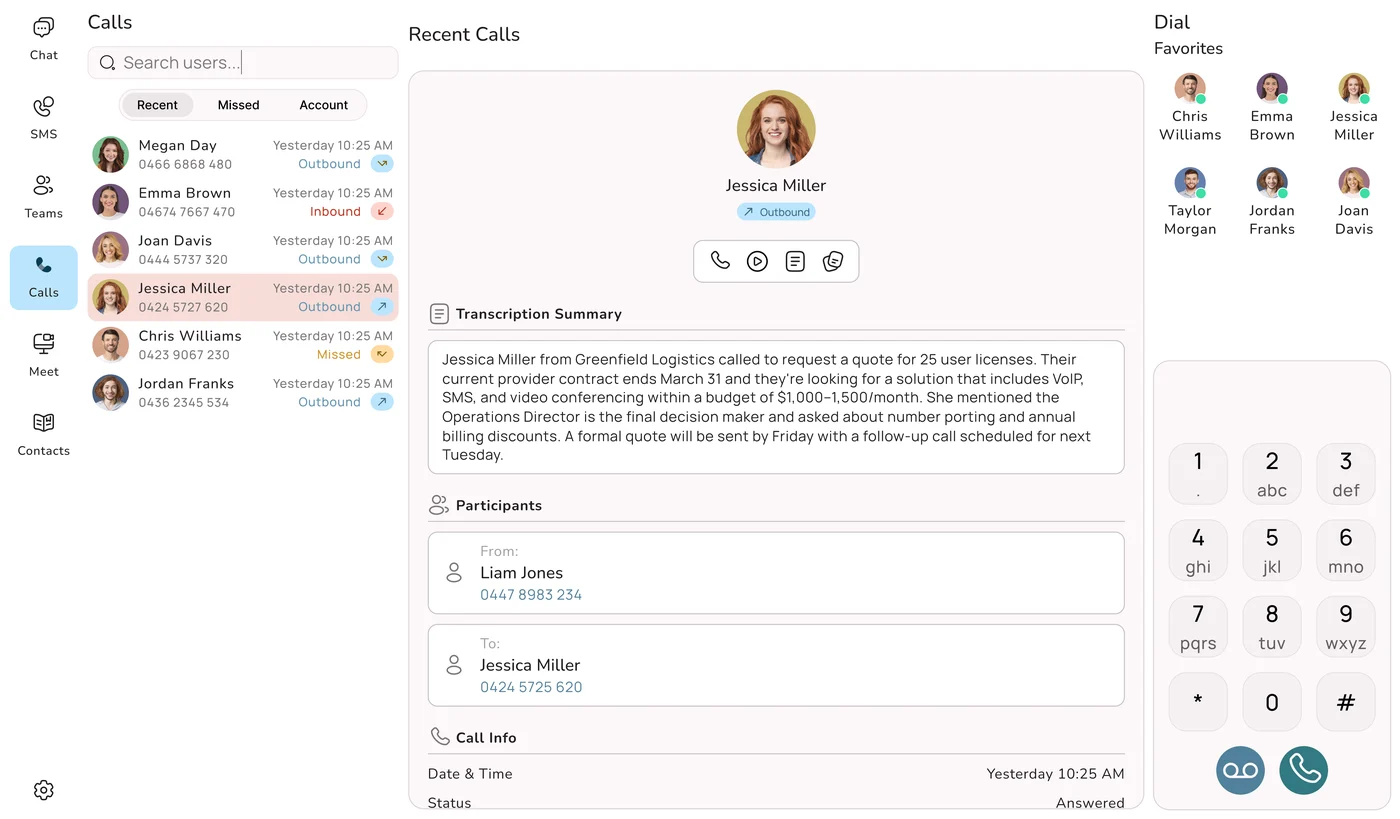
Business SMS means sending and receiving text messages on a number that belongs to the business, through the phone system, instead of on an employee's own mobile. The customer sees your business number. When they reply, the reply comes back to the business. The conversation is saved in your phone system, where anyone you allow can read it and answer, on a computer or on a phone.
The number can be one of a few kinds. Your existing landline or VoIP number can be set up for texting, so customers reply to the same number they ring. A 1300 or 1800 number can send notifications and, more and more, take replies as well. Some businesses add a dedicated mobile number purely for back-and-forth conversations. Whichever you pick, the texting stops being a workaround on someone's handset and becomes part of how the business talks to customers.
Not a separate SMS service
Years ago, texting customers meant signing up to a separate SMS gateway: another login, another invoice, and nothing joined up with your phones. Those services are still around and they suit big marketing broadcasts. For the everyday texts a business sends, though, it makes more sense to have texting inside the phone system you already use for calls. Then the missed call and the text you send about it sit together, and SMS becomes part of daily operations rather than a marketing add-on.
98%
rough open rate often quoted for SMS, compared with around 20% for email
~90s
how long a text commonly sits before it is read
1
business number for calling and texting, on any device
1966
the year Uniden arrived in Australia
The open-rate and read-time figures are common industry estimates, shown for illustration only. Your own results will depend on your customers and what you send.
What Goes Wrong on Staff Mobiles
Texting from a personal phone feels quick and free, so it is where nearly everyone begins. The costs only show up later, usually at a bad moment. Here are the ones we hear about most.
The receptionist is on leave
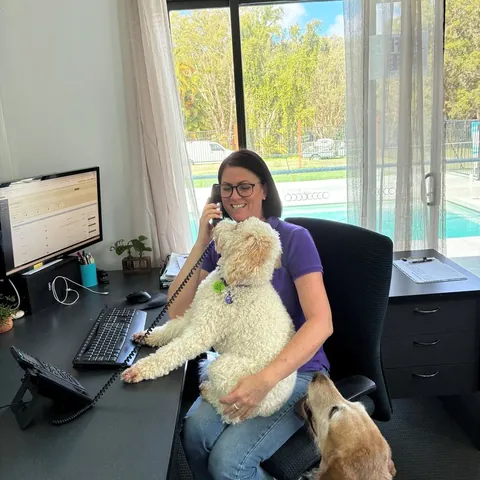
A regular client texts to move Friday's appointment. The message goes to the receptionist's own mobile, and she is on a beach in Bali. Nobody in the clinic knows about it. On Friday the client does not turn up, the slot sits empty, and the client is annoyed that nobody replied.
The apprentice quits
For two years the apprentice has been texting customers arrival times, photos and quote numbers from his phone. He takes a job with another firm. Every one of those conversations, along with the customers' numbers, goes with him. You cannot see what was promised to whom, and some of those customers now have his new employer's number in their phone.
The owner never switches off
Once your personal mobile is the one customers text, it never goes quiet. Texts arrive at dinner, on Sunday morning and on holidays. Staff feel the same pressure, which is why many of them, fairly, do not want to give their own number to customers in the first place.
Nobody recognises the number
Customers save your business number. When a text arrives from a mobile they have never seen, some ignore it, some think it is a scam and a few block it. It also looks a bit amateur next to a competitor whose texts come from the same number as their calls.
The fix in one line
Put texting on the business number, inside the phone system. Threads are stored centrally, a colleague can pick up any conversation, nothing lives on a private handset, staff numbers stay private, and the customer always deals with one number whether they ring or text.
The compliance side of personal phones
Under the Spam Act 2003 it is your business that has to be able to show it had consent and that it acted on opt-out requests. If those messages sit on an employee's personal phone, you have almost no records to point to, and if the employee leaves you may have none at all. Keeping business texts on the business number, inside your platform, is the safer way to run it as well as the tidier one.
Why Texts Get Answered When Calls Don't
Think about how you would prefer to find out your car is ready, that your appointment is tomorrow at ten, or that a parcel is running late. For most people it is a text. There are three plain reasons, and knowing them helps you write better messages.
People actually read them
A call needs the person to stop and answer right then. An email might not get opened until tonight, or might end up in a junk folder. A text arrives quietly and gets a glance within minutes. For anything that matters today, nothing else gets in front of people as reliably.
Nobody has to be free at the same time
Phone tag is one of the great time wasters in small business. Two people leave each other voicemails for days about a five-second question. With a text, the customer answers on the train, in a lunch break or at 8pm, and your team sees it next time they look. "Yes, Tuesday works" takes the customer two seconds.
Both sides have it in writing
After a call, two people often remember the agreement slightly differently. A text is a timestamped record that both sides can scroll back to. When a customer confirms a time, approves a quote or sends their address by text, there is no argument later about what was said, and your staff have an accurate history to work from.
Expectations have moved
More and more customers, especially younger and busier ones, see a business they cannot text as a bit behind. Being textable is heading the same way a mobile-friendly website went ten years ago: from a nice extra to something people simply assume. Businesses that make texting easy tend to pick up enquiries that a phone-only business misses.
What to Text at Each Stage of a Job
It is easier to see where SMS earns its place if you follow one customer from first contact to the last message. Below we use a made-up example: a mobile physiotherapy business with three physios who visit clients at home. The same stages apply to a plumber, a salon, a dental practice or an online store.
Stage 1: The enquiry you could not answer
A new client rings at 10:20am. All three physios are with patients and the admin person is on another line. Instead of ringing out, the system sends an automatic text straight away: "Sorry we missed your call. Reply here and we'll get back to you shortly." The caller replies that she has a sore shoulder and wants a home visit this week. The enquiry is now a written conversation instead of a missed call, and she has no reason to ring the next clinic on Google.
Stage 2: The booking and the quote
The admin person picks up the thread on her desktop, replies with two available times and the fee for a first consultation, and the client picks Thursday at 2pm. The confirmation, the address and a booking reference all sit in the same thread, where the client can find them again.
Stage 3: The day before
On Wednesday a reminder goes out: "Reminder: your physio visit is tomorrow at 2pm. Reply C to confirm or call us to change." The client replies C. If she had needed to move it, she would have had a day's notice to say so, and the clinic would have had time to fill the gap.
Stage 4: On the day
The physio texts "On my way, about 15 minutes" from the mobile app as he leaves his previous visit. It comes from the clinic's number, not his own. Afterwards he sends a picture of the home exercise sheet as an MMS, so the client has it on her phone.
Stage 5: After the visit
The next day a short text thanks the client and includes a link to leave a Google review. While the visit is fresh, she taps the link and leaves one. A week later she replies to the same thread with a question about one of the exercises, and whoever is on admin that day can see the whole history and answer properly.
Missed Call, Text Back
An automatic text the moment a call goes unanswered keeps the caller talking to you instead of dialling a competitor.
Bookings and Prices
Send times, fees, quote amounts and reference numbers in writing, where the customer can scroll back to them later.
Day-Before Reminders
A reminder with an easy way to confirm or change helps cut no-shows and gives you time to refill a cancelled slot.
On-the-Way and Ready Alerts
"Fifteen minutes away", "shipped", "ready to collect". Telling people first stops the "where are you?" calls.
Review Requests
A short thank-you with a direct link, sent while the job is fresh, is one of the simplest ways to collect Google reviews.
Ongoing Questions
Customers reply to the same thread and a real person answers, with the full history on screen for whoever picks it up.
The two that pay for themselves first
If you only switch on two things, make them the missed-call text-back and the day-before reminder. Every unanswered call is somebody who might ring a competitor next, and an instant text turns that into a live conversation your team can pick up when they are free. For small teams and trades who simply cannot always get to the phone, that one feature often covers the cost of the system.
No-shows are the other big leak: an empty appointment or an idle van that cannot be filled at short notice. Reminder phone calls often end up in voicemail, while a text gets read in time for the customer to act on it. Giving people an easy way to confirm or move the booking means you hear about changes while you can still do something about them.
"Knowing that our phones are always connecting our customers with the right staff has simplified our customer engagement. Having features like this, which are usually only available to larger companies, in a cost-effective manner is excellent. Now that I am using the mobile application I can stay connected with my business when I am out of the office." Marie-Claire, Owner, Wealth of Health
What Business Texting Looks Like Day to Day
When texts run through the phone system rather than a handset, the daily routine changes in a few useful ways.
At a desk, with a real keyboard
Most people do not expect this to matter until they try it. The desktop app shows text threads right next to your calls, and you reply with a full keyboard. Copying in an address, a link or a quote number takes seconds. Messages you send all the time, like a booking confirmation or directions to the shop, can be saved as templates and sent with a click. For anyone handling a steady stream of messages, it saves real time every day.
Out and about, on the mobile app
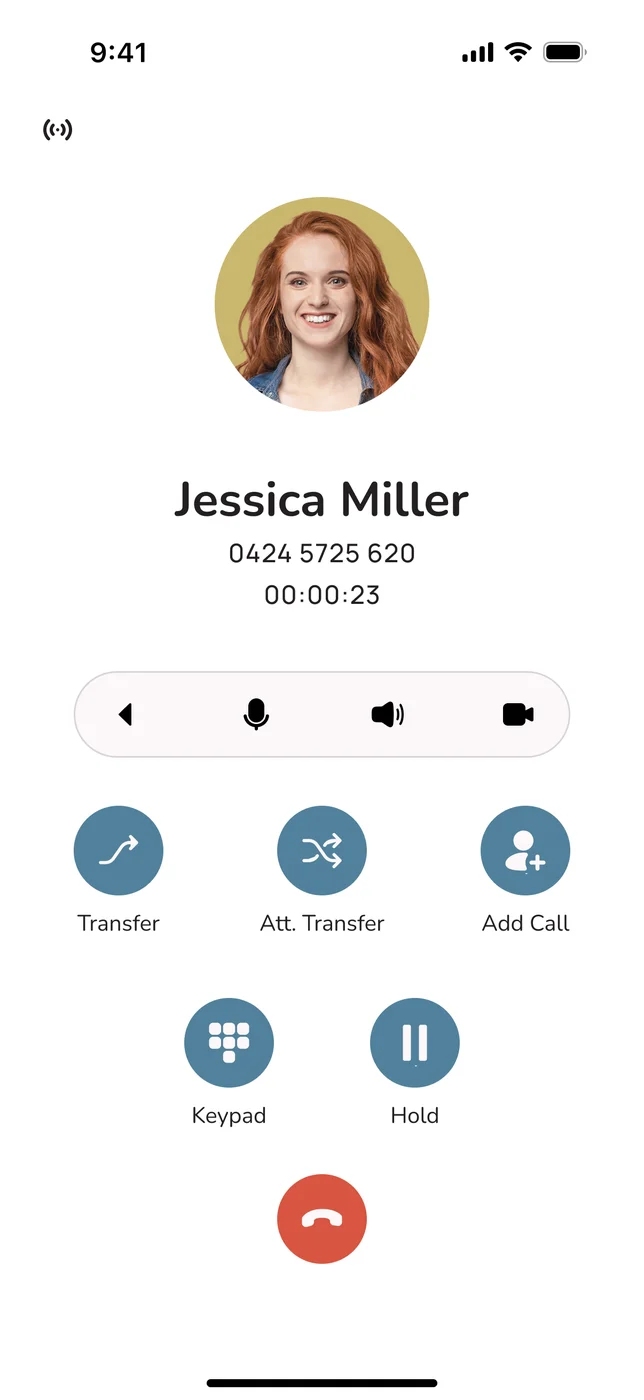
The same threads are on the mobile app, so the technician on site or the manager between meetings carries on exactly where the office left off. The important part is that texts still go out from the business number and replies still come back to it. The conversation belongs to the business and follows the app, not whoever's phone it was typed on.
Pictures as well as words
MMS (Multimedia Messaging Service) is SMS with pictures and richer content. For a business that is handy: a tradie can send a photo of the finished work or the worn part that needs replacing, a shop can send a picture of a product, and a service business can send a map or a marked-up plan. It travels the same way as SMS, so it gets read just as quickly, but carries far more than a short text can.
How long can a text be?
One SMS fits up to 160 characters. If you write more, the message is split into pieces and joined back together on the customer's phone so it reads as one, but each piece may be billed as a separate message. Short texts with the key detail up front are cheaper and easier to read, which suits the way people skim their phones. If you need a picture or something more visual, use MMS.
One thread the whole team can read
Every message is saved against the conversation and, if you have connected your CRM, against the customer's record too. Anyone opening the thread can see what was quoted, what was agreed and what is still outstanding, without having to ask around the office. That shared view is what turns texting from one person's habit into a proper business system.
Three Setups, Side by Side
Businesses usually end up texting in one of three ways: from staff mobiles, through a standalone SMS gateway, or with texting built into the phone system. Rather than a long feature checklist, here are the practical questions that decide which one suits you. Uniden Voice Over Cloud is used as the built-in example.
| Question | Staff mobiles | Standalone SMS gateway | Built into Uniden Voice Over Cloud |
|---|---|---|---|
| Which number does the customer see? | ✗ A staff member's own mobile | ~ Depends on the sender ID | ✓ Your business number |
| Can they reply, and who sees it? | ~ Yes, but only that one person | ~ Often one-way, separate login | ✓ Two-way, shared with the team |
| Where can you send from? | ✗ That phone only | ~ A web portal | ✓ Desktop and mobile apps |
| Is it joined up with your calls? | ✗ No | ✗ A separate system | ✓ Same platform, missed-call text-back included |
| Does it reach your CRM and accounts? | ✗ No | ~ Sometimes, through APIs | ✓ Xero, MYOB, HubSpot and more |
| How are consent and opt-outs kept? | ✗ By hand, if at all | ~ Set up for marketing lists | ✓ Managed in the platform |
| What happens when someone leaves? | ✗ The history goes with them | ✓ Kept | ✓ Kept centrally |
| How many vendors and bills? | ~ Personal plans, hosting varies | ✗ One more vendor and bill | ✓ One bill, 100% Australian-hosted |
Put simply: staff mobiles cost nothing up front but leave every conversation stuck on one device with no records and no team access. A standalone gateway handles volume and keeps records, but it is one more system, one more login and one more bill, cut off from your phones. Texting built into the phone system is the only one of the three that keeps texts on your business number, in front of the team, connected to your calls and customer records, on a single bill. For a business that texts customers every day, it is the sensible default.
The Spam Act 2003, Step by Step
Because texts are so effective, there are rules about them. In Australia, commercial electronic messages, SMS included, are covered mainly by the Spam Act 2003, which the Australian Communications and Media Authority (ACMA) enforces. The easiest way to think about it is in three moments: before you send, inside every message, and when someone wants out.
Before you send: have consent
Commercial messages generally need consent. The clearest kind is express consent, where the customer actively agreed, such as ticking a box on a booking form or handing over their number to get updates. In limited cases consent can be inferred from an existing business relationship, provided the message relates to that relationship. A transactional text the customer has more or less asked for, like a reminder about a booking they made, stands on much firmer ground than a promotional blast to a list. If you are unsure, ask for consent and write down how and when you got it.
In every message: say who you are
The person reading a commercial text should never have to guess which business it came from. Sending from your recognised business number and naming the business in the text where it makes sense takes care of this. It also tends to lift replies, because people trust a message they can place.
When they want out: make opting out easy, and act on it
Commercial messages need a working opt-out that is free or low cost to use, and the law sets a short window for acting on unsubscribe requests. "Reply STOP to opt out" is the usual approach. The part businesses get wrong is follow-through: the opt-out has to actually work, and the person must stop getting those messages. Ignoring opt-outs is one of the most common and most expensive mistakes.
A catch with name-only sender IDs
You can send texts that show a business name instead of a number (an alphanumeric sender ID). It looks neat, but nobody can reply to it, so customers cannot just text STOP. If you use one, the message has to include a different, clear way to opt out. Two-way texting from your business number avoids the problem, because customers can reply, opt out or ask a question on the same number. This is general information, not legal advice: check your own obligations with ACMA or a professional adviser.
None of this is a reason to avoid texting. Almost all everyday business texts (reminders, confirmations, "on our way" messages and replies to people who contacted you first) are perfectly legitimate. The rules are aimed at unsolicited spam. Texting from your business number, keeping records and making opt-outs easy keeps you well clear. Uniden Voice Over Cloud is set up to support that, although getting and recording consent is always your business's responsibility.
Calls and Texts in One Timeline
The biggest gain from business SMS is not the texting on its own. It is having texts and calls in the same place. A call and a text to the same customer are two parts of one conversation, and handling them as one is where the time savings come from.
Go back to the physio example. The missed call, the automatic text, the reply, the booking, the reminder, the "on my way", the exercise sheet and the review request all sit in one timeline, on one business number, visible to the whole team and saved against the client's record. Nobody flicks between a phone, an SMS portal and a spreadsheet to work out what happened.
It is the same thinking behind unified communications (UCaaS): calls, video, chat and SMS on one platform beat four separate tools that do not talk to each other. It is also why moving your communications to a single provider usually costs less, and causes fewer headaches, than a phone line from one company and a texting service from another.
Built in, not bolted on
Same number: customers ring and text one business number and reach the same team either way.
Same history: calls and texts appear in one timeline, so anybody can catch up on a customer in seconds.
Same bill: there is no separate SMS company to manage or pay. On Uniden Voice Over Cloud, texting is part of the platform, running on 100% Australian-hosted infrastructure.
Why Text Through Uniden Voice Over Cloud
There are plenty of ways to send a text. What you want is texting, calling and AI on one platform that is properly Australian, from a company you already know. That is what Uniden Voice Over Cloud is.
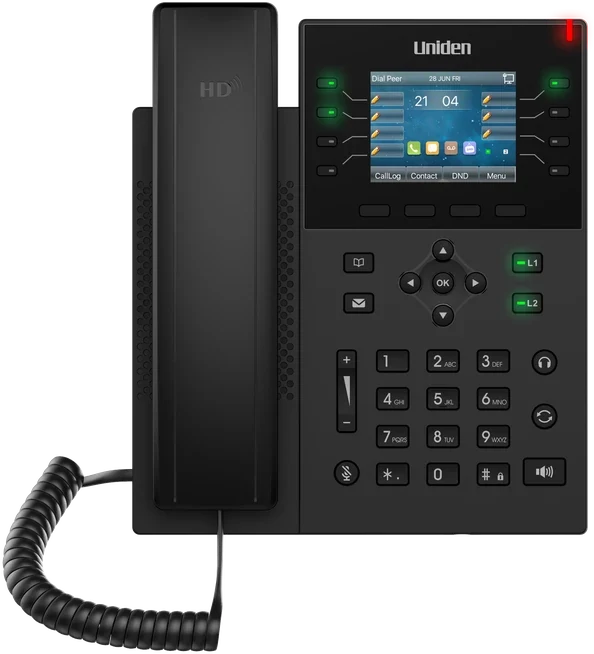
Uniden has been a household name in Australia since 1966, and for a lot of people it is the brand on the cordless phone at home. Uniden Voice Over Cloud is the same brand's business phone system, hosted in Australia and supported by an Australian team. Texting is part of it, alongside calls, video and messaging, and you can pair it with Uniden desk handsets such as the EVOC2, headsets and conference phones for the calling side of the business.
Texting Included
Send and receive texts on your business number on the same platform as your calls. No separate gateway, no extra company, no second portal.
Free Apps Everywhere
Windows, Mac, Linux, Android and iOS apps at no charge. Type at a desk or reply on the move, always from the business number.
Missed-Call Text-Back
A busy moment no longer costs you an enquiry, because an unanswered call becomes a text conversation automatically.
Australian Through and Through
From Uniden, a trusted name here since 1966. Built and hosted in Australia, so your message data stays onshore.
Connects to Your Tools
Native links to Xero, MYOB, Salesforce, HubSpot, Zoho, Google My Business and Slack, so texts attach to the right customer.
Simple Pricing
Per-user pricing with 50+ features and AI call agents included as standard, and no minimum number of users.
In practice that means your team texts customers from the business number on any device, every conversation is saved and shared, and it all sits alongside your calls on one bill. Add AI call agents that answer and route calls in natural Australian voices, 24-hour local support and a dedicated account manager, and you have one complete system for talking to customers instead of a collection of apps.
"Uniden Voice Over Cloud perfectly complements our billing software. The ease of integration with our billing software and great local support improved our own customer interactions and now many of our customers have made the switch." Chris, Operations Manager, PracBill
Setting It Up
If you are already setting up or moving to a new phone system, adding texting takes very little extra effort. This is the usual order of things.
Talk it through and see it working
Book a free demo at unidenvoice.com/get-started or ring 1300 881 662. The team will show you texting next to calls, the missed-call text-back, reminders and the apps, using examples that fit the way your business runs.
Pick which numbers will text, and who needs access
Work out which numbers should send and receive texts: your current landline or VoIP number, a 1300 or 1800 number, or a dedicated mobile for conversations. Then decide how many people need a login. There is no minimum number of users, so you can start with one or two and add more later.
Bring your numbers across
Customers keep using the numbers they know. Uniden looks after the port, and for a limited time porting is free. Your old service stays live until the port is finished, so there is no downtime, and your numbers are ready to text from the day you go live.
Write your templates and set your rules
Draft templates for the messages you send most (confirmations, reminders, review requests), turn on the missed-call text-back, and add a simple opt-out such as "reply STOP" to any marketing messages. Your account manager helps with the setup and connects your CRM so texts are saved to the right customer.
Install the apps and start texting
Put the free apps on your computers and phones and start texting from the business number. There is no SMS gateway to buy and nobody's personal phone is involved. Your account manager keeps an eye on things for the first few weeks to make sure it is all running as it should.
Business SMS Questions, Answered
Further Reading
Texting is one piece of how your business talks to customers. These guides cover the phone system it runs on and how to get the most out of it.