




















The Month-End Test
Here is a quick test any owner can do. Next time you or your bookkeeper close off the month, count how many invoices relate to people talking to each other: customers ringing in, staff ringing out, meetings, messages, texts, recordings. For a lot of small and mid-sized Australian businesses the answer is six, seven, or more. Each of those invoices came from a decision that made sense at the time.
The usual story goes like this. The business started with a phone system. Then meetings went online and somebody bought a Zoom licence. Internal email felt slow, so Slack arrived. Appointment reminders needed an SMS service. Someone asked for recordings for training or compliance, so a recording add-on was switched on. And over 2025 and 2026, plenty of businesses tired of missed calls added an AI receptionist on top. No single purchase was a mistake. Together they became a cost centre that nobody really manages.
The individual prices are rarely the problem. What hurts is the spread. Several of those tools can do the same job, so you pay for some capabilities more than once. You pay third parties to make the tools share information. Someone spends hours every month matching invoices with different billing dates. And when a fault crosses two systems, you lose time and calls while the vendors argue about whose problem it is.
The fix is an old one: put it all with one provider, on one bill. Done properly, you keep every feature your team actually uses, stop paying twice for the rest, and cut both the subscriptions and the admin that comes with them. If the idea of a single platform for all of this is new to you, start with our explainer on what UCaaS (unified communications) actually is.
~$820
illustrative monthly subscriptions for a ten-person business using separate tools
6 to 7
vendors in a typical spread-out communications setup
3 to 5 hrs
of staff time a month spent managing those bills (illustrative)
1
bill, one login and one support number after consolidating
Where You Are Paying Twice
Most owners can list their communications vendors. Fewer have mapped what each one actually does. When you do, the overlap jumps out. The table below starts from the job that needs doing and lists the tools that commonly do it in a business with a separate-vendor setup.
| The job | Tools often paying to do it | How many you need |
|---|---|---|
| Making and taking calls | Phone line or VoIP service, staff mobile plans, a "voice" or dialler add-on inside the CRM | One |
| Answering when nobody is free | Phone system voicemail, a standalone AI or human answering service billed per minute, per call or per user | One |
| Messaging | Team chat app billed per active user, an SMS gateway billed per message or bundle, texts from personal mobiles | One |
| Meetings | A Zoom, Teams or Meet licence per host, often on a higher tier than needed | One |
| Recording calls | A per-user recording add-on to the phone plan, with separate storage fees | One |
| Getting call data into the CRM or accounts | A Zapier plan or paid connectors on each tool's higher tier | None, if it is native |
Three things stand out. Calls can be placed by the phone system, the mobile plan and the CRM dialler. Messages can be sent by the chat app, the SMS gateway and the phone system. Calls can be answered by the phone system and by a separate AI service. You are not just paying seven companies. You are paying several of them for the same three or four capabilities, and each takes its own margin. That duplication is the easiest money to win back.
There is a second problem hidden in the mobile row. Staff who work away from the desk often have mobile services that are not connected to the business number, so customers end up with personal numbers and calls and texts happen outside any business system. When those staff leave, the customer relationships can walk out with them. For a closer look at how phone pricing itself is put together, our guide on how much a business phone system costs in Australia walks through the pricing models.
The Rule of Four
If you are paying four or more separate companies for calls, mobiles, meetings, chat, texts, recording or AI answering, consolidation is almost certainly worth modelling. The aim is not to give anything up. It is to get the same features, or more, on one bill, with one number to ring when something needs fixing.
A Ten-Person Cost Model
To show how this adds up, here is a model of a hypothetical ten-person Australian business. It is an illustrative example, not a quote and not a statement about any particular competitor's current prices, which vary widely by provider, plan and usage. Use it as a template: swap in the figures from your own invoices. This time the costs are grouped by what kind of spend they are.
| Type of spend | Bought separately (illustrative, 10 staff) | Monthly | On one platform |
|---|---|---|---|
| Core calling | Business phone or VoIP at ~$25 per user | ~$250 | Included |
| Collaboration | Video at ~$20 per host for 4 hosts, plus team chat at ~$12 per user | ~$200 | Included |
| Customer messaging | SMS gateway bundle | ~$50 | Included |
| Compliance and training | Call recording at ~$8 per user | ~$80 | Included |
| Call answering | AI or virtual receptionist add-on at ~$20 per user | ~$200 | Included as standard |
| Glue between tools | Integration or middleware subscription | ~$40 | Native, no extra fee |
| Subscriptions total | 6+ vendors, 6+ invoices | ~$820 | One per-user bill, AI included |
| Admin | Reconciling 6+ bills, managing accounts and renewals | ~3 to 5 hrs of staff time | One bill, minimal |
| Support | 6+ support queues, faults passed between vendors | Lost time and calls | One local support line and an account manager |
Run the model forward and the size of it becomes clearer. About $820 a month is roughly $9,840 a year in subscriptions, or around $82 per person per month across ten staff, and that is before you put any value on the admin hours or the calls that fall through the gaps. Most owners have never seen the figure because it has never been on one page. Look closely at the AI row, too: bought from a separate company, it costs almost as much as the calling it supports. Choose a system that ships with AI built in and that $200 simply stops appearing.
That is the real nature of the saving. It is not about shaving a few dollars from one plan. It comes from deleting entire lines from your books because one service now does their job.
How to Use These Numbers
The figures above show the method, not a promise. Your current spend may be higher or lower. Your true figure comes from your own paperwork: work through the audit below with real invoices, then get a single provider to quote for the same set of features. Uniden Voice Over Cloud will review your current bills and show you the equivalent on one platform before you commit to anything.
Costs That Never Come With an Invoice
The subscriptions are the part you can see. The larger drain is a set of costs that a spread-out setup creates and that no vendor ever bills you for directly. These are often where moving to one provider pays off most.
Owner and office manager time
Six or seven vendors means six or seven invoices to code and pay, the same number of user lists to keep current, renewal dates to remember, and support relationships to keep alive. In a small business that work usually lands on the owner or the office manager, whose time is worth far more than invoice matching. In the model above we allowed three to five hours a month. Write down your own honest estimate and multiply it by a real hourly rate. For many businesses it is the largest hidden cost in the whole setup.
Seats for people who have left
When a staff member leaves, cancelling one account is easy to remember. Cancelling five, in five portals, each with its own renewal cycle, is not. It is very common for businesses to keep paying for departed staff on the meeting tool, the chat app and the recording add-on for months. A few forgotten seats across six vendors soon adds up to real money.
Paying for the tools to talk to each other
Separate products do not share data on their own. If you want calls logged against the right customer in your CRM, or a text sent automatically when an invoice goes overdue, you either buy the connectors that live on each tool's dearer tier, or pay a middleware service like Zapier to move the data between them. Each link is another monthly fee, and another thing that stops working when one vendor changes its system. On a single platform, calls, messages and contacts already share one directory, so most of that spend goes away.
The blame game when something breaks
This is the cost owners feel most. Calls start dropping, or an integration stops syncing, and no vendor owns the fault. The phone company blames the network, the CRM blames the connector, and the connector blames the phone company. You end up running your own outage, on hold with three help desks while customers cannot get through. With one provider there is one party responsible and one number to call.
Calls that never reach anyone
A spread-out setup loses calls. A call that should ring a staff mobile does not, because that mobile sits on a separate plan with no link to the business number. An after-hours caller gets voicemail because the AI answering service was bolted on and never fully connected to the phones. Each missed call is a job or a sale that may go to a competitor instead. It is on no invoice, yet it is often the most expensive item of all. Our comparison of an AI receptionist versus a human receptionist looks at what missed calls really cost.
Do Not Compare Phone Bill to Phone Bill
If you only put your current phone plan next to a new one, you will miss most of the saving. The fair comparison is everything you spend on communications, every subscription and connector fee plus a reasonable allowance for admin hours and lost calls, against one all-in-one per-user price. Owners who only look at the phone bill nearly always underestimate what one provider would save them.
The AI Line on Your Bill
AI answering is the newest item in most communications budgets and the one most often sold as a separate premium service. It is worth a careful look. The cost of running the language models behind these features fell sharply through 2025 and into 2026, but many providers still price AI as if it were rare and costly.
How AI ends up as a second invoice
It usually happens in one of two ways. Either your phone provider advertises AI, but transcription, summaries and AI call handling only come with the top plan, adding $15 to $30 per user each month. Or you sign up with a separate AI receptionist company that picks up overflow and after-hours calls and charges per minute, per call or per seat. Both routes leave you with another bill.
The numbers are hard to ignore. For ten staff, a $20 per user AI upgrade is $200 a month, about as much as the phone service itself in the model above. You set out to add one clever feature and nearly doubled what you pay per person. And because the AI often sits in its own system, it may not hand calls back to your team cleanly, so you pay more and still get a clunky experience.
The single-provider answer
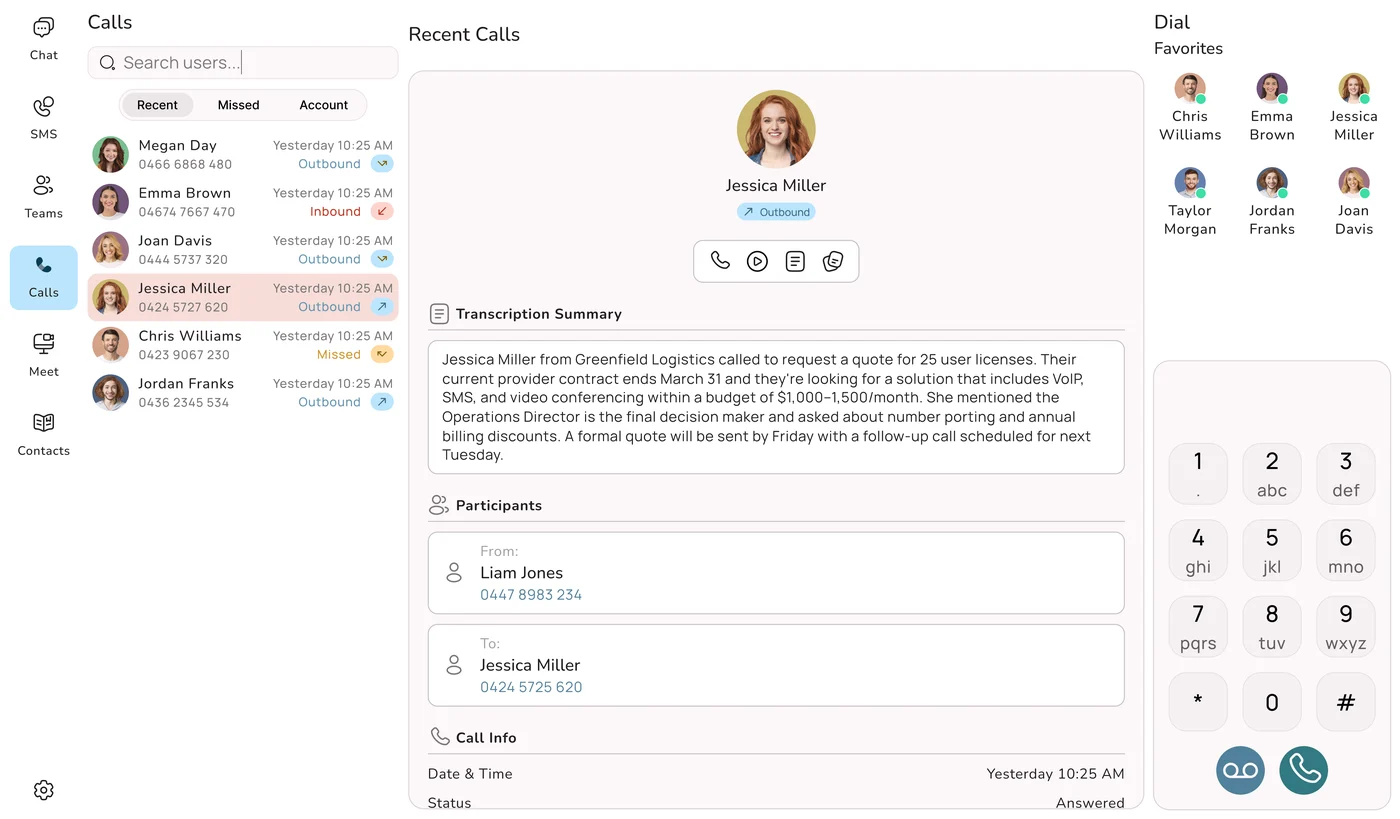
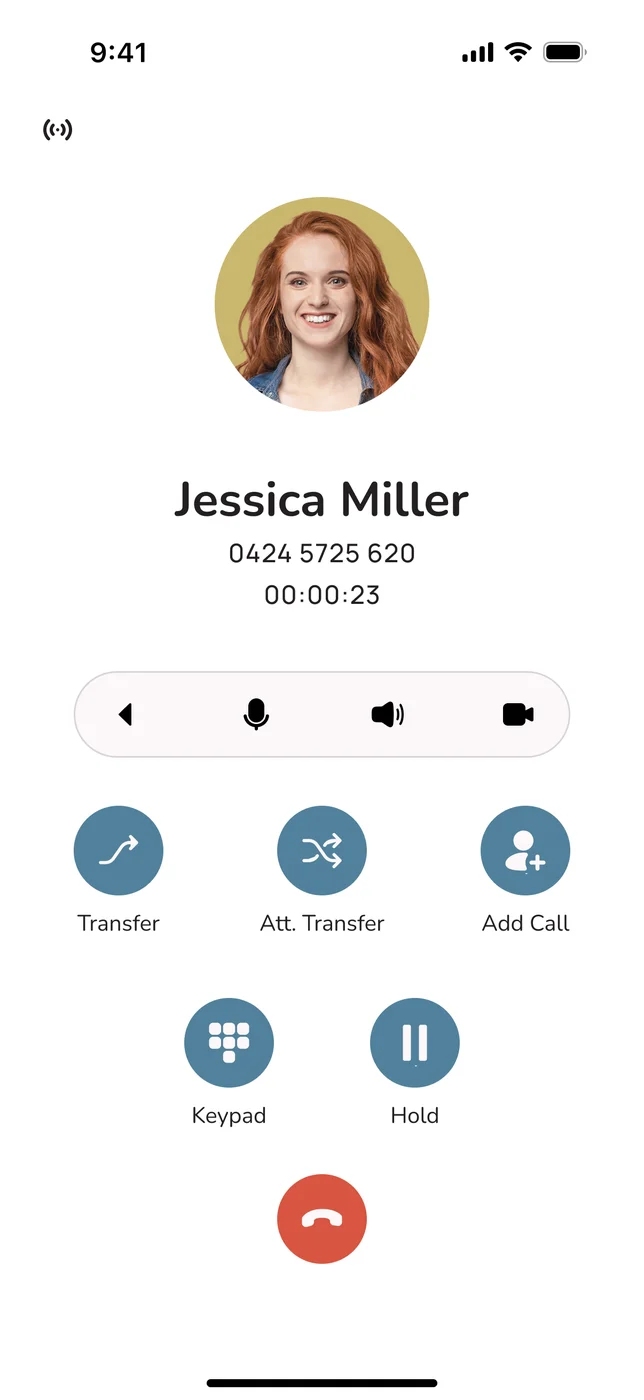
Choose a platform where AI is part of the product rather than an upgrade. Uniden Voice Over Cloud includes AI call agents as standard. They are trained on your business information and speak with natural Australian voices that understand local accents, slang and place names. They answer, qualify and route calls, take messages, and can make outbound calls, and they live in the same app your staff already use for calls, video and chat, at no added cost. For businesses that want more, Uniden also offers dedicated AI Agents. Our complete guide to AI business phone systems in Australia explains how these systems work in more depth.
The Question to Put to Every Provider
Whenever a provider calls its system "AI-powered", ask straight out: "Does the figure on this quote cover AI for every user, or does that cost more, and on what plan?" Anything short of a plain yes means the AI charge belongs back in your comparison. AI sold on a separate bill is not consolidation; it is simply another supplier.
Before and After Consolidating
So where does the money actually come back? Some of it is plain to see on the bill, some of it is the hidden cost covered above. Here is the same business before and after it moves everything to one provider.
| Area | With six or seven vendors | With one provider |
|---|---|---|
| Billing | Several variable invoices on different cycles, with per-minute and per-message charges scattered across portals | One line per user per month, easy to budget, no end-of-quarter surprises |
| Features | Calling and messaging paid for two or three times | Calls, messaging, video, SMS and recording paid for once |
| Integrations | Paid middleware and connectors that break when a vendor changes | Native links to Xero, MYOB, Salesforce, HubSpot, Zoho, Google My Business and Slack |
| Staff changes | Remove a leaver from five portals, often forgetting one | One action removes them everywhere |
| Buying power | Retail prices from each vendor, each protecting its own margin | The whole bundle priced together |
| AI answering | Often the second-largest line on the bill | Included, no separate invoice |
| Support | Faults passed between vendors | One accountable provider, with 24-hour local Australian support and a dedicated account manager |
Predictability is a saving in its own right. When the bill is the same shape every month, there is nothing to reconcile and nothing to explain to the accountant. And when a leaver is removed in one step rather than five, the forgotten-seat problem stops happening at all.
"Knowing that our phones are always connecting our customers with the right staff has simplified our customer engagement. Having features like this, which are usually only available to larger companies, in a cost-effective manner is excellent. Now that I am using the mobile application I can stay connected with my business when I am out of the office." Marie-Claire, Owner, Wealth of Health
Your One-Hour Spend Audit
You cannot cut what you have not measured. Block out an hour, pull together a quarter's worth of bills, and follow these steps. At the end you will have one number that makes any comparison fair.
First, find every tool
List every service involved in communication, however small: phones, mobiles, meetings, chat, SMS, recording, AI or answering services, CRM voice add-ons, and any middleware or integration plans. Anything your team uses to speak, text or meet with someone counts. A credit card statement is a good place to find the ones that never send a proper invoice.
Then record four facts about each
- What it really costs per month: the average over three months including usage and overage charges, not the advertised plan price.
- Seats paid for against seats used: the difference is money spent on nothing.
- When the contract ends: so you know when you can move without a break fee.
- How it renews: automatic renewal clauses, price-rise triggers and any lock-in period.
Add what the invoices leave out
- Connector and middleware fees: every paid link that keeps the tools in step.
- Admin hours: your monthly estimate for managing invoices, accounts and renewals, priced at a real hourly rate.
- Missed calls: even a rough guess at calls lost each month, multiplied by what an average job or sale is worth to you.
Turn it into one per-person figure
Add the subscriptions and the hidden costs, then divide by your headcount. That gives a true monthly communications cost per person. It is the only figure you can fairly set beside an all-in-one provider's per-user price.
Get a single quote and match it like for like
Ask one provider to price the same capability, and get written confirmation that the quote already covers AI, call recording, texting, meetings and software links. Compare their per-user price with your audited per-person figure. Make sure you are comparing the whole setup, not just the phone line.
Audit at a Glance
✓ Every communications tool listed, including small ones found on the card statement
✓ A quarter's average spend per tool, usage charges included
✓ Paid seats compared with used seats
✓ Contract end dates and renewal clauses written down
✓ Connector, middleware and CRM add-on fees added in
✓ Admin hours estimated and priced
✓ Total divided by headcount
✓ One all-in-one per-user quote in hand to compare
Doing It With Uniden Voice Over Cloud
Trimming one bill is easy. Consolidating removes several at once, but only if the provider you move to can genuinely replace everything you had. Uniden has been a household name in Australia since 1966, and Uniden Voice Over Cloud is that brand's answer for businesses that want one provider for all their communications.
Everything on One Invoice
Calls, apps for phone and computer, meetings, chat, texting, recording, presence, software links and AI, billed as one steady monthly amount per user.
AI Call Agents as Standard
Trained on your business information and speaking with natural Australian voices. The line that so often doubles a bill is simply not there.
50+ Features, No Tiers
The tools you used to buy from separate companies come as part of the platform, not as upgrades or upsells.
Built-In Integrations
Two-way links to Xero, MYOB, Salesforce, HubSpot, Zoho, Google My Business and Slack, plus open APIs, so the paid connectors can go.
Uniden Hardware, Optional
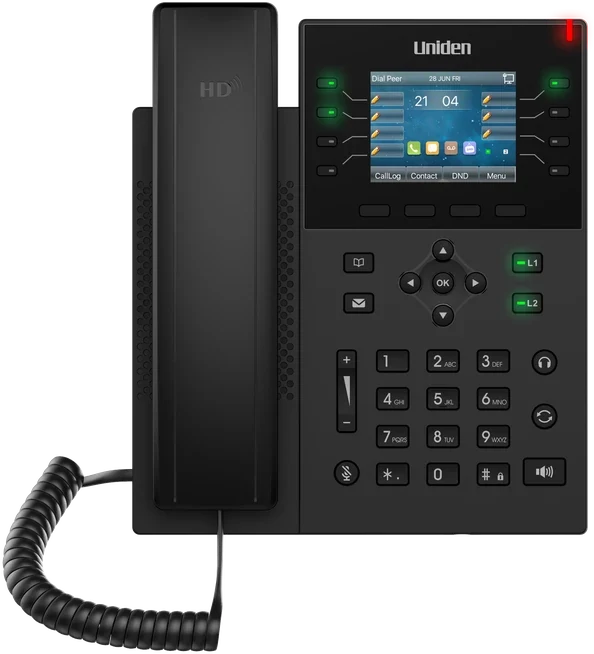
The EVOC2 HD desk handset, conference phones and headsets, or a phone in a box setup. Handy if you want desk phones, but the apps work without them.
One Australian Support Line
24-hour local support and a dedicated account manager for every client, with no minimum users. One accountable provider and no overseas queue.
Phones and internet on the same account
For many businesses the internet connection is one more separate bill, and one more party to blame when call quality dips. Uniden offers business nbn bundles, so the connection your phones run over can sit with the same provider as the phones themselves. That means one fewer invoice, and when something is wrong with calls there is no argument about whether it is the line or the phone system.
Australian hosting, Australian data
Uniden Voice Over Cloud is Australian-founded, Australian-built and 100% Australian-hosted. Beyond price, that gives you low-latency call quality and data sovereignty in line with the Privacy Act 1988 and the Australian Privacy Principles. Consolidating should never mean sending customer data offshore to save a few dollars, and here it does not. What you end up with: a single invoice, a single login, one renewal date, AI with no surcharge, and a single team answerable for every part of it, usually at a lower total cost than the setup it replaces.
"Uniden Voice Over Cloud perfectly complements our billing software. The ease of integration with our billing software and great local support improved our own customer interactions and now many of our customers have made the switch." Chris, Operations Manager, PracBill
Moving Across in Four Stages
The main reason businesses stay with an expensive spread of vendors is worry about the move itself. In practice it is a guided process with little risk, and nothing old is switched off until the new system is fully working.
Stage one: audit and review
Work through the audit above, then book a free review at unidenvoice.com/get-started or ring 1300 881 662. Share your current bills and the team will map your setup onto one platform and show you the equivalent cost, and the saving, before you sign anything.
Stage two: bring your numbers over
You keep every business number. Uniden handles the port, and porting is free for a limited time. Until the numbers have fully moved, your current provider keeps carrying calls, which means no gap, no risky cutover weekend, and nothing for customers to notice.
Stage three: apps in, old tools out
Staff install the free apps for Android, iOS, Windows, Mac and Linux and start calling, messaging and meeting straight away, with no hardware to buy unless you want it. As each feature goes live on the new platform, you cancel the matching standalone service. One by one, you stop paying for Zoom seats, Slack seats, texting bundles, recording add-ons and the outside answering service.
Stage four: connect your systems and switch on AI
Your account manager connects your CRM and accounting software, trains the AI call agents on your business information, and sets up call flows and routing, replacing the middleware you were paying for. Not long after, you are on one platform and one bill, with a pile of cancelled subscriptions behind you.
Questions Owners Ask
Further Reading on Cost and Consolidation
Once you know what your communications really cost, these articles help with the next decisions: pricing, the all-in-one model, and the individual tools you can bring under one roof.