



















The Short Answer, and the Three Names You Will Hear
Ask ten business owners what their phone system is and most will point at the handset on their desk. The handset is only the visible end. Behind it there has always been an exchange: a piece of equipment that knows which extension belongs to which person, plays the "press 1 for accounts" message, holds callers in a queue and stores voicemail. For decades that exchange was a PBX (private branch exchange) bolted to a wall in your building, connected to copper or ISDN lines run in by the carrier.
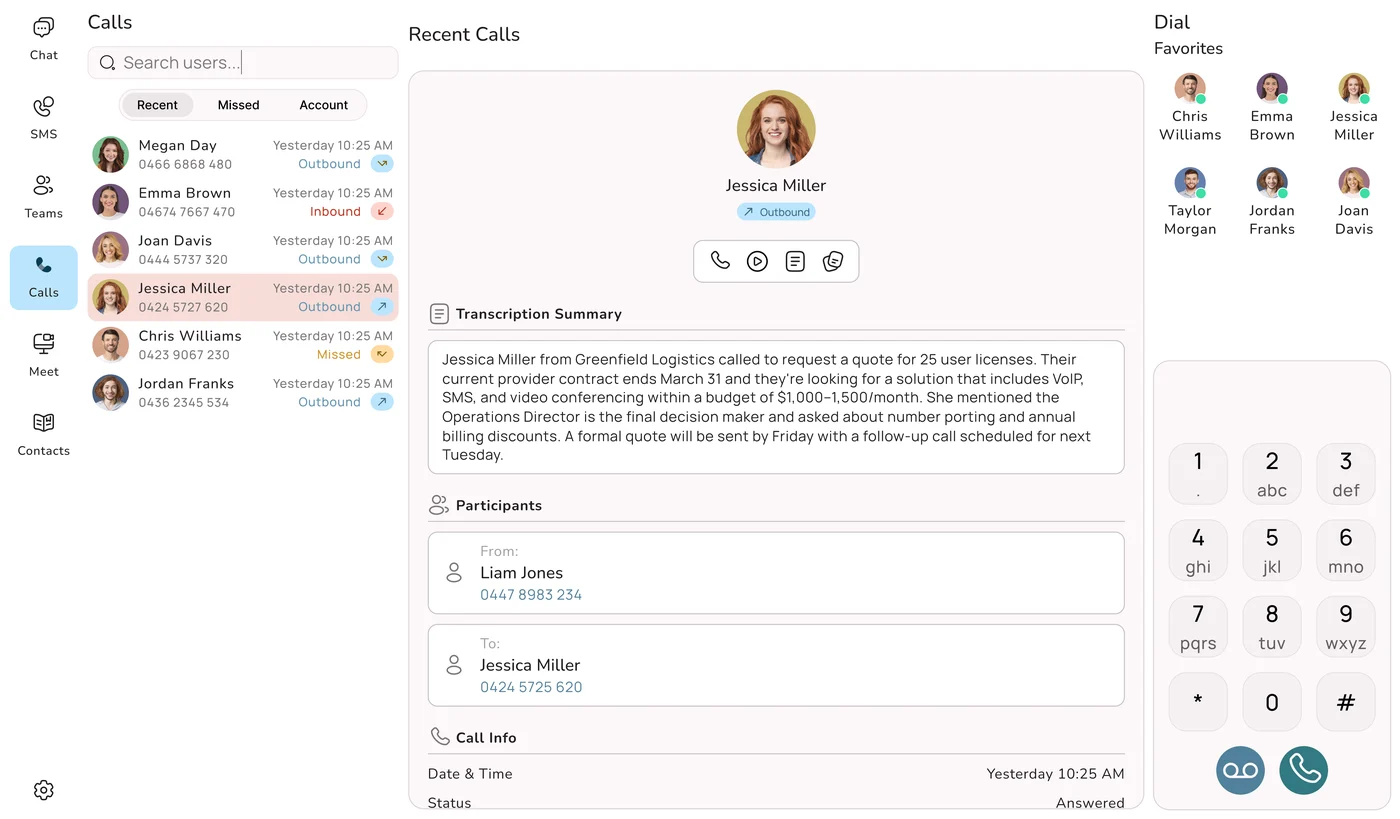
A cloud phone system moves that exchange out of your building and onto a provider's servers. You no longer own it, house it or service it. It runs as software in a data centre, you reach it over your internet connection, and you manage it from a web browser. The voice itself travels as data using VoIP (Voice over Internet Protocol). Put simply, VoIP is the way the call is carried, and the cloud is where the brains of the phone system now live.
Shopping around, you will run into a handful of labels. They overlap so much that, for a small or medium business, you can treat them as the same product:
- Cloud phone system or cloud calling: the plain-English term, focused on where the system runs.
- Hosted phone system or hosted PBX: the same thing, focused on the fact that someone else hosts the exchange for you.
- Cloud PBX: a mix of the two, popular with IT providers and resellers.
Whatever the label, the deal is the same: you rent a complete business phone service rather than buying equipment, and you pay for it monthly.
Why so many Australian businesses are deciding this year
Two local pressures have turned a slow trend into a decision on many owners' desks. The first is the retirement of the old copper network. The PSTN and ISDN services that most traditional systems plug into are being switched off as part of the NBN migration, so keeping an on-premise exchange running means propping it up on a network with an end date. The second is how people work. Staff now move between the office, home, client sites and the car, and a phone that only rings at one desk loses calls. A cloud system rings the person, not the desk.
Add cheaper monthly pricing and a new generation of AI tools that answer and sort calls, and the cloud has become the normal choice for an Australian SMB replacing its phones in 2026.
1966
the year Uniden started serving Australian homes and businesses
0
exchange boxes to install, patch or replace on site
50+
features in every Uniden Voice Over Cloud plan
100%
of Uniden Voice Over Cloud hosting located in Australia
Follow One Call Through the System
Definitions only go so far. The easiest way to understand a cloud phone system is to follow a single call. Imagine a customer ringing a small accounting practice in Parramatta at 8.55 on a Monday morning, five minutes before the office opens.
- The call arrives at the provider, not the office. The customer dials the practice's usual number. Because that number now points to the cloud platform, the call lands in the provider's data centre first. Nothing in the practice's building needs to be switched on for this to happen.
- The system checks the time. Business hours are set to start at 9am, so the platform plays the after-hours greeting the owner recorded, then offers options: leave a message, or press 2 to speak with the AI receptionist about bookings.
- The AI agent handles the simple part. The caller presses 2. The AI agent, trained on the practice's own information, answers in a natural Australian voice, checks what the caller needs and books a 10.30 appointment.
- The team finds out straight away. A summary of the call lands in the practice's inbox and the booking shows up where staff can see it. When the receptionist sits down at 9, there is nothing to chase.
- Later calls reach a person wherever they are. At 11, another client rings and asks for the senior accountant, who is working from home. The receptionist transfers the call to her extension and it rings on the app on her laptop. The client never knows she is not in the office.
Every step there is software: time-of-day rules, a menu, an AI agent, a ring group, a transfer. In a traditional setup, each of those features would be a module on the exchange in the cupboard, programmed by a technician. In the cloud, the owner changes them from a browser.
What is actually travelling down the line
While the customer talks, their voice is turned into small digital packets that travel over the internet to the provider's servers and on to whoever is answering, then the process runs in reverse for the reply. It happens in milliseconds. On a decent connection, and with servers hosted close to the people talking, a cloud call sounds as natural as an old landline call, and often clearer, because modern HD handsets and codecs carry a wider range of sound.
What Sits Behind the Handset
A cloud phone system has three layers. Knowing which one is yours to look after makes buying, and fixing problems later, a lot simpler.
Layer one: the hosted platform
This is the exchange that used to be in your cupboard. It lives with the provider, who keeps it powered, backed up, patched and updated. It holds your users, numbers, call flows, recordings and settings. Your view of it is a web dashboard where you add a user, change the opening hours, record a new greeting or redirect a department, and the change applies straight away, with no technician visit.
Layer two: your internet connection
Your office connection carries the calls between your people and the platform. It is the one part of the setup that genuinely depends on you. Each call needs only a modest amount of bandwidth, so a business-grade NBN or fibre service handles a typical office comfortably. Many owners take the chance to tidy this up at the same time; Uniden offers business nbn bundles so the phones and the connection come from the one Australian provider.
Layer three: the devices your team picks up
This is where the Uniden name matters to a lot of buyers. People have had Uniden phones on their kitchen benches and office desks for decades, and the same hardware thinking carries into the business system:
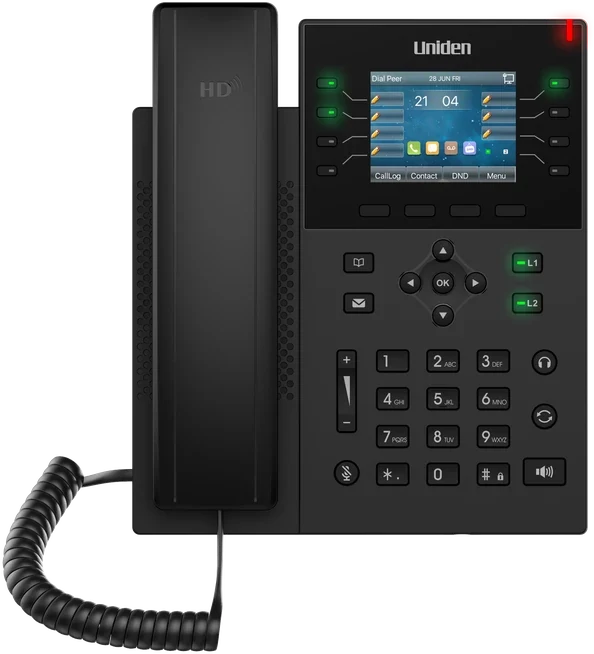
- The Uniden EVOC2 HD desk handset for staff who want a proper phone on the desk with HD voice.
- Conference phones for meeting rooms, so a group can join a call around the table.
- Headsets for reception and anyone who spends the day on calls.
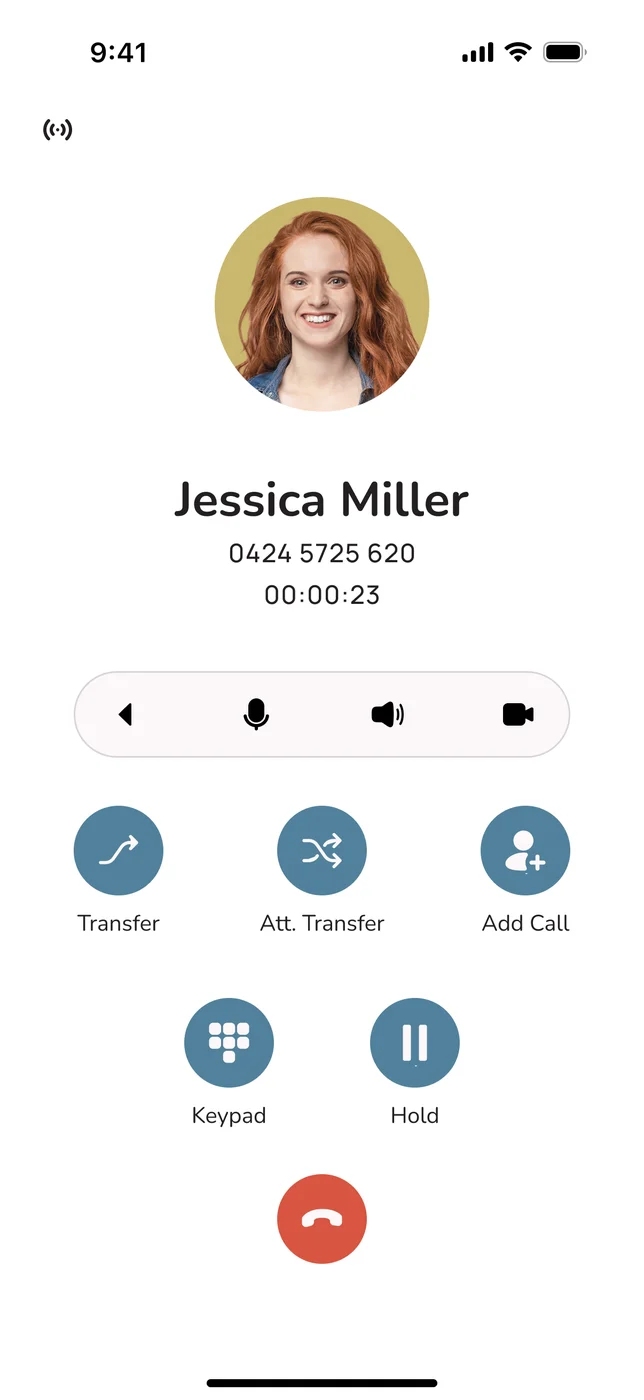
- Free softphone apps for Android, iOS, Windows, Mac and Linux, which turn a phone or computer into a full extension.
You can mix them freely. One person might use the EVOC2 HD in the office and the app at home, on the same extension and number. If you would rather receive everything ready to plug in, the Uniden phone in a box setup is built for exactly that.
Your Side of the Setup, in Three Lines
An internet service you can rely on. Business-grade NBN or fibre suits most offices, and the mobile apps can fall back to mobile data if it ever drops.
Devices of your choosing. Phones and laptops you already own work through the free apps. Uniden desk handsets, conference phones and headsets are there if you want them.
Nothing else. No exchange, no line rental and no recabling. With Uniden Voice Over Cloud, your account manager does most of the configuration for you.
The Box in the Cupboard vs the Cloud
Most owners are not choosing between two brochures. They are deciding whether to keep paying for a system they already have. Here is how the two compare from that point of view.
The money
An on-premise exchange is a capital purchase. You pay up front for the PBX and handsets, then pay a technician to install and program it. After that come line rental, a maintenance contract and, eventually, a replacement when the box reaches end of life or parts become hard to find. A cloud phone system turns most of that into a predictable operating cost: a monthly fee per user, with no exchange to buy and no line rental. Over a few years, the total cost is usually noticeably lower, and it is much easier to budget for.
Change and growth
With a box on the wall, every change is a job. A new starter can mean a new card in the exchange, a cable run and a call-out fee. A second site can mean a second system. In the cloud, a new user is a few clicks, a second office joins the same number plan and directory, and anyone can work from home, a site or interstate on the same business number.
What you can do with it
An older PBX does what it did the day it was installed. Some can be upgraded, at a price. A cloud platform is updated by the provider for every customer at once, which is how features such as mobile apps, voicemail-to-email, SMS, CRM integrations and AI agents have arrived without anyone buying new hardware.
Where the risk sits
With an on-premise system, the whole phone service depends on one box, one building's power and one set of lines. If any of those fail, the phones stop. With a cloud system, the platform sits in professionally run data centres and your team can keep answering on mobile apps even if your own office goes dark.
The Copper Is Being Switched Off
Legacy PSTN and ISDN services in Australia are being decommissioned as part of the NBN migration. A traditional system still running on those lines is working to a deadline set by someone else. You can keep your existing numbers when you move to a cloud phone system, so there is no reason to wait for the line to go dead. Choose the date yourself, test the new setup properly and switch over while the old one is still running.
Side by Side: Questions Owners Ask
Rather than a list of technical specs, the table below answers the questions owners actually ask when deciding whether to replace an old system. The cloud column uses Uniden Voice Over Cloud as the example.
| The question you are asking | Keeping the on-premise PBX | Moving to Uniden Voice Over Cloud |
|---|---|---|
| Do I have to buy an exchange? | ✗ Yes, plus installation | ✓ No, it is hosted for you |
| What do I pay each month? | ~ Line rental plus maintenance | ✓ One fee per user |
| Can staff answer from home or a job site? | ✗ Only at the desk | ✓ On the app, same number |
| Can I get voicemail by email and send SMS? | ~ Sometimes, as an extra | ✓ Included |
| Can AI answer calls when we are busy? | ✗ Not available | ✓ AI call agents included |
| Will it talk to Xero, MYOB or my CRM? | ✗ Not usually | ✓ Xero, MYOB, Salesforce, HubSpot and more |
| How hard is it to add a new starter? | ✗ Hardware and a technician | ✓ Minutes, from a browser |
| What if the office loses power? | ✗ Phones go down | ✓ Calls go to mobile apps |
| Does my call data stay in Australia? | ✓ Yes, it is on site | ✓ Yes, 100% Australian-hosted |
| Will it still work in five years? | ✗ Relies on retiring copper | ✓ Built for internet voice |
Read down the columns and the picture is simple. The old exchange still does its core job and keeps data on site, but it costs more to own, it cannot follow your staff, and it sits on a network that is being retired. The cloud option keeps the call quality and the local data, then adds mobility, integrations and AI on top.
What You Get in the Package
A cloud phone system is sold as a bundle of features rather than a single product. Here is what to expect in a complete plan, grouped by the job each feature does for you. Uniden Voice Over Cloud includes all of them among its 50+ features.
Answering Every Call
An auto-attendant greets callers with your menu, day or night, and sends them to sales, service or accounts without a receptionist having to pick up first.
Getting Calls to the Right Person
Ring groups, hunt lists, queues and opening-hours rules make sure calls reach someone who is free, instead of ringing out on an empty desk.
Working as One Team
Extensions and a shared directory mean anyone can transfer a caller to a colleague with a short number, whichever office or home they are in.
Taking the Office With You
Free apps for Android, iOS, Windows, Mac and Linux carry your extension and business number to any device you pick up.
Never Losing a Message
Voicemails arrive in your email as audio and text, so you can read a message between meetings instead of dialling in to listen.
Texting Customers
Send and receive SMS from your business number for reminders, confirmations and quick replies, from the same system you call from.
AI on the Front Desk
AI agents answer, qualify and route calls, take bookings and catch overflow in natural Australian voices, as part of the plan rather than an extra.
Linking Your Software
Two-way links with Xero, MYOB, Salesforce, HubSpot, Zoho, Google My Business and Slack, plus open APIs, keep call details where your team works.
Knowing What Is Happening
Recording, transcription, reports and live dashboards show call volumes, missed calls and response times, so you can manage by facts.
Why AI is now part of the conversation
The biggest change to cloud phone systems over 2025 and 2026 has been AI. As the language models behind it became faster and far cheaper to run, tools that used to be reserved for large contact centres became practical for a five-person office: AI call agents, live transcription, call summaries and voicemail turned into text. The thing to watch is how a provider charges for it. Many put AI behind their most expensive tier or sell it per seat on top of the base price. If AI answering is part of why you are switching, read our guide to AI business phone systems in Australia before you compare quotes, and look at Uniden AI Agents to see what they do on a real call.
"Knowing that our phones are always connecting our customers with the right staff has simplified our customer engagement. Having features like this, which are usually only available to larger companies, in a cost-effective manner is excellent. Now that I am using the mobile application I can stay connected with my business when I am out of the office." Marie-Claire, Owner, Wealth of Health
What Happens on a Bad Day
The question we hear most from owners is some version of "what if it stops working?" It is the right question to ask. The way to answer it is to walk through the things that actually go wrong, and see what each one does to an old exchange compared with a cloud system.
Scenario one: a storm knocks out the office power
With an on-premise PBX, the exchange and the desk phones lose power together. Unless someone has fitted a battery backup, the business number stops answering until the power returns. With a cloud system, the platform is in a data centre with its own backup power, and it is still taking your calls. It notices your desk phones are offline and sends calls to the mobile apps on your team's phones instead. Customers get through and most never realise anything happened.
Scenario two: the office internet drops
This is the one genuine weak point of a cloud system, so it deserves a straight answer. If your connection fails, your desk handsets cannot reach the platform. The platform itself is unaffected, though, so it reroutes calls to the mobile apps, which carry on over mobile data. To reduce the chance of this happening at all, use a business-grade NBN or fibre service, and if you have heavy call volumes, ask your IT provider to prioritise voice traffic on your network (often called QoS).
Scenario three: the hardware fails
When an old PBX fails, it often fails completely, and you wait for a technician, then perhaps for a replacement part. That is the definition of a single point of failure. A reputable cloud provider spreads its platform across redundant, professionally managed data centres with failover, typically targeting 99.9% uptime or better. If one component has a fault, another takes over. If one of your desk phones breaks, you swap the handset or use the app while you wait.
Scenario four: you need help at 7pm
Problems do not keep office hours. With many international platforms, support means a ticket in an overseas queue. Uniden Voice Over Cloud provides 24-hour local support from people in Australia, plus a dedicated account manager who already knows your setup.
Five Questions to Put to Any Provider
What uptime do you target, and on what infrastructure? Expect 99.9% or better, backed by redundant data centres.
What exactly happens to my calls if my power or internet fails? The answer should be an automatic move to mobile apps, not silence.
Where are your servers? A local point of presence is not the same as hosting the whole platform in Australia.
Who answers the support line, where are they and at what hours? With Uniden, it is a 24-hour local team.
Will I have a named person? Uniden gives every client a dedicated account manager.
Your Call Data, Privacy and Australian Hosting
A phone system holds more sensitive information than most owners realise: recordings of conversations, voicemails, transcripts, caller numbers and, once it is linked to your CRM, customer records. Moving to the cloud means that information now sits with your provider. Where they keep it, and how they protect it, should be part of your decision from the start.
Distance affects how calls sound
Voice is a live conversation, so delay matters. If your calls have to travel to servers in the US, Europe or Singapore and back, every extra 50 to 100 milliseconds of round trip makes a conversation feel slightly off. People start talking over each other, and pauses become awkward. AI agents are especially sensitive to this, because a slow reply makes the agent sound hesitant. Keeping the platform in Australia keeps the distance short.
Location decides which laws apply
When call recordings and customer data are stored or processed offshore, they fall under the rules of that country as well as ours. For an Australian business, that adds risk under the Privacy Act 1988 and the Australian Privacy Principles. For practices in health, finance, law and government work, keeping data onshore is often a firm requirement rather than a preference.
Read the hosting claim carefully
Some overseas providers say they are "in Australia" because they have a local point of presence, a connection point that hands your calls on to a platform hosted elsewhere. That is different from the whole platform, including your recordings and data, running on Australian servers. Ask the question directly and get the answer in writing.
The basic protections to look for
- Encryption: calls and data protected while travelling, so they cannot be read if intercepted.
- Sensible access control: admin roles, strong logins and per-user permissions, so only the right people can change call flows or play back recordings.
- Fraud monitoring: limits and alerts for toll fraud and unusual calling, which can run up large bills quickly if left unchecked.
- Onshore storage: recordings, voicemails and customer data kept in Australia, in line with the Privacy Act 1988 and the Australian Privacy Principles.
The Uniden Position on Data
Hosted here: Uniden Voice Over Cloud runs on 100% Australian servers, so calls and customer data do not leave the country.
Clearer calls: shorter distances between your people, your customers and the platform mean less delay and more natural conversations.
A local name behind it: Uniden has been part of Australian business and home life since 1966, and the support team is local too, available 24 hours a day.
Is It a Good Fit for Your Business?
Cloud phone systems are often marketed at tech companies, but in our experience the businesses that gain the most are small, busy and spread out. Here are the situations where the case is strongest.
You are small and want to sound established
A two-person business can have the same menu, call routing, voicemail-to-email and AI answering as a firm with fifty staff, without buying an exchange. With no minimum number of users at Uniden, you can start with one user and add more as you hire.
Your people are rarely at a desk
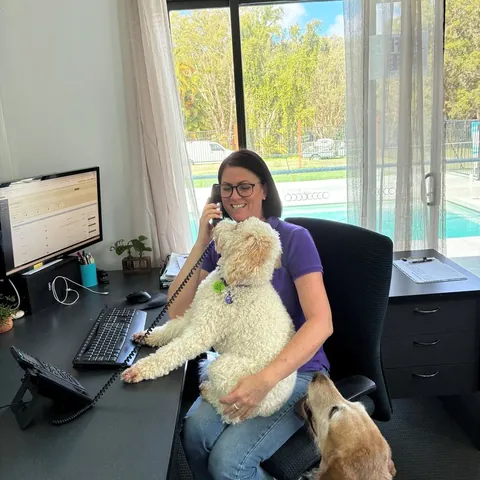
Tradies, field service crews, mobile health workers and sales reps spend the day on the road. When the business number rings on the app, the call goes to whoever is free, and AI can pick up when everyone's hands are full. The result is fewer missed jobs. Our guide for tradies walks through how this works on site.
You have more than one location, or people at home
Two offices, a warehouse and three staff working from home can all sit on one number plan and one directory. Transfers, internal calls and presence work the same for everyone, wherever they are sitting.
Your staff numbers rise and fall
Retail before Christmas, accountants at tax time, tourism in the holidays: if your headcount changes through the year, you can add users for the busy period and remove them afterwards, without hardware sitting idle.
You support other businesses' IT
Managed service providers and IT companies often end up looking after their clients' phones anyway. Uniden runs a dealer and partner program for MSPs and IT providers who want to offer a cloud phone system under a brand clients already recognise.
Check These First
Because a cloud system relies on internet access, sort out the connection before anything else if your premises have patchy internet and no mobile coverage to fall back on. If you run a large team of call agents handling very high volumes, check whether you need contact-centre features as well. For most small and mid-sized teams, a cloud phone system with AI agents and queues built in is enough. Our UCaaS guide explains where calling fits alongside video, messaging and the rest of your communications.
How You Pay for It
Cloud pricing looks simple on a provider's website. Comparing two quotes properly takes a little more care, because the headline figure often leaves things out.
The basic model
Nearly every provider charges per user, per month. Across the market, that tends to land somewhere around $10 to $50 per user, depending on the features and the tier. Keep in mind what that fee replaces: line rental, maintenance on the exchange and often several separate subscriptions. Comparing it line by line against an old phone bill undersells it, because it covers more.
A quick way to compare two quotes
Before you sign, put each quote through these five questions:
- Is there a minimum number of users? Some providers require one. Aircall, for example, needs at least 3 users, which works out at roughly $90 a month before a single call is made.
- Is AI in this plan, or only in a higher one? AI and analytics are often held back for the top tier or charged per seat.
- What is billed separately? Setup, number porting, extra numbers, call recording and integrations can each add a line to the invoice.
- Are calls metered? Per-minute or overage charges can make a busy month expensive.
- How long is the contract, and what does it cost to leave? Multi-year terms with break fees take away your options.
For a full budget that also covers handsets, numbers and add-ons, see our guide to business phone system costs in Australia.
How Uniden structures its pricing
Uniden Voice Over Cloud keeps it to one per-user price with 50+ features and AI call agents included and no minimum number of users. Demos and installation are free, number porting is free for a limited time, and you do not have to set anything up yourself, because your account manager does it. The expensive extras on other quotes are already in the price.
How the Main Alternatives Compare
Aircall was founded in France, needs a minimum of 3 users at around $30 per user per month, hosts overseas and keeps AI and analytics for higher tiers. Zoom Phone starts around $10 per user per month on a metered plan, but has no native AI call agents with Australian voices. RingCentral and Dialpad are US-based and built for larger enterprises, usually keeping account managers for enterprise plans. 3CX leaves much of the management to you. Telstra and Optus are the long-standing telcos, which buyers often find costly and slow to deal with. Uniden Voice Over Cloud is Australian-founded and Australian-hosted, includes AI, has no minimum users and gives every client a dedicated account manager.
Why Businesses Choose Uniden Voice Over Cloud
Plenty of companies sell cloud calling in Australia. Fewer combine the full feature set, local hosting, their own hardware range and a brand people already know. Here is what owners tell us tipped the decision.
A Name You Already Know
Uniden has been a household name in Australia since 1966. Uniden Voice Over Cloud is that brand's business phone system, hosted entirely in Australia and supported locally.
Hardware From the Same Brand
The EVOC2 HD desk handset, conference phones and headsets, or a phone in a box that arrives ready to plug in. One brand for the phones and the system behind them.
AI in the Plan
AI call agents trained on your business, speaking with Australian voices that cope with local accents, slang and place names. They come with the platform, not as a surcharge.
50+ Features, One Price
IVR, routing, extensions, voicemail-to-email, SMS, apps, recording and reporting are all in the plan, with no minimum users and free demos and installation.
Help Around the Clock
24-hour support from people in Australia, plus a dedicated account manager for every client. No offshore queue and no do-it-yourself setup.
Keep Your Numbers
Bring your existing numbers across, free for a limited time. Your old service keeps running until the port completes, so callers never hit a dead line.
In practice, that means you get what a cloud phone system promises, clear local call quality, modern features and AI, without the overseas delay, the AI surcharges, the minimum-seat rules or the offshore help desks that come with many international options. For more on why so many local businesses have made the move, read why Uniden Voice is Australia's most popular business phone system.
"Uniden Voice Over Cloud perfectly complements our billing software. The ease of integration with our billing software and great local support improved our own customer interactions and now many of our customers have made the switch." Chris, Operations Manager, PracBill
Moving Over Without Missing a Call
The fear with any phone change is the gap: a morning when the number does not ring. A well-run move to the cloud avoids that by building the new system alongside the old one and only switching the numbers across once everything is tested. Here is how it runs with Uniden.
First: a conversation about how you take calls
Book a free demo at unidenvoice.com/get-started or ring 1300 881 662. Rather than a generic sales pitch, the team looks at how calls reach your business now, who answers them, what gets missed and which software you use, then shows you the parts of the platform that matter for you.
Second: map your current setup onto the new one
Decide how many users you need. There is no minimum, so you can start small. Your account manager then lists your existing extensions, departments, hunt groups and after-hours arrangements and rebuilds them on the new platform, improving them where it makes sense.
Third: start the number port
Your landline, mobile and 1300 or 1800 numbers can all come across, so customers keep dialling the numbers they know. Uniden manages the port with your current carrier, and porting is free for a limited time. A port usually takes from a few days to a couple of weeks, depending on the carrier, and your old service keeps working until it completes. Thinking about adding an inbound number while you are at it? Our guide on how to get a 1300 or 1800 number lays out the options.
Fourth: get people and phones ready
Staff install the free apps on Android, iOS, Windows, Mac or Linux and can make test calls straight away. If you are using Uniden desk handsets, conference phones or headsets, they plug into the network and set themselves up against your account.
Fifth: switch on the extras, then go live
Record your greetings, set business hours, link Xero, MYOB or your CRM, and train the AI agents on your own business information. Your account manager handles most of this and keeps an eye on the system for the first few weeks after go-live, so small issues are fixed before anyone notices them.
Frequently Asked Questions
What to Read Next
Now you know what a cloud phone system is, these guides help with the decisions that follow: what it costs, how it compares with keeping an exchange on site, where AI fits and which provider to pick.