

















How It Happens to Almost Everyone
Nobody sets out to run a business on their personal mobile. It happens because it is the obvious thing to do on day one. You already own the phone, you already know the number, and the first customers are friends of friends who have it anyway. A few months later the number is on the van, the website, the business cards and the Google profile. When the first employee starts, the quickest way to keep everyone in the loop is a WhatsApp group. Within a year, the business phone system is one person's mobile and a chat app owned by Meta.
There is nothing foolish about this. It is free, it is familiar and it works well enough while the business is small. You are far from alone, either. Research by Mitel found that 76 per cent of workers use communication tools their employer never approved, and a survey by Flip found that about one in three UK workers rely on apps like WhatsApp or Telegram for work. The trouble is that the costs build up slowly and never arrive as a bill, so most owners only notice them when something goes wrong.

This guide is about those costs, and about a fix that does not ask you to give up the mobile. The phone in your pocket is a brilliant business tool. The issue is the private number on it and the chat app you have borrowed as an office.
Seven Hidden Costs of the Personal Mobile
Each of these is small on its own. Together they are why a business that runs on one person's mobile tends to stall at the size one person can answer for.
1. The customer relationship belongs to a person, not the business
Phone numbers in Australia are not property, but the right to use one belongs to the account holder, the person the telco issued it to. ACMA is clear that only the account holder can authorise moving a number, and mobile ports need an extra identity check sent to that phone. If your business number is a staff member's personal mobile, it is theirs. When they leave, every customer who saved it leaves with them. Even when it is the owner's own mobile, the business cannot be sold, handed over or run by anyone else without that one phone. Our staff offboarding checklist covers what happens to numbers when someone leaves.
2. Calls ring out while you are doing the work
When the business number is one mobile, there is exactly one person who can answer it. If you are on a roof, under a car, with a client or driving, the call goes to a personal voicemail greeting that most callers hang up on. Many of them ring the next business on the list. Nobody else in the team can pick it up, because the call never reaches them.
3. Your number looks like a scam
Australians have been trained by years of scam calls and texts to be suspicious of unknown mobile numbers. A call from a random 04 number, or a text with a link from one, is exactly what scammers send. A business line with a proper caller ID, and SMS from a verified business sender, looks like what it is. That matters most for callbacks: the customer who enquired yesterday is more likely to answer a number they recognise as yours.
4. Nothing is recorded, and nothing is shared
What did you quote on that call last Tuesday? What did the customer agree to? On a personal mobile, the answer is in your head, or nowhere. There is no recording to settle a dispute, no note your team can read before they call back, and no history when someone else takes over the job.
5. One lost phone stops the business
Phones get dropped, stolen, drowned and locked. When the phone is the business, the business is offline until it is replaced and restored. A SIM swap scam on the owner's mobile can do even more damage, because that same number receives the one-time codes for banking and accounts.
6. You can never switch off
A personal number used for business rings at dinner, on holidays and at 6am on Sunday, and there is no clean way to stop it without missing personal calls too. For staff it is worse. Since 26 August 2025 the right to disconnect has applied to small business employers, which means employees can generally refuse unreasonable contact out of hours. Giving customers a staff member's personal number makes that line very hard to hold. Our guide to the right to disconnect for small business covers the detail.
7. You cannot see what is happening
How many calls did you miss last week? How many came in after hours? Which ad made the phone ring? A personal mobile cannot tell you, so decisions about staffing, hours and marketing get made on gut feel.
The Trouble With Running the Team on WhatsApp
WhatsApp is popular for good reasons. Everyone already has it, it is quick, and voice notes and photos suit people who work on their feet. As a way to run a team, though, it has gaps that only show up later.
- The history lives on private phones. Every message, photo and document sits on each person's own device and backups. When someone leaves, they keep their copy of everything, including customer names, addresses and job details.
- You do not control who is in the room. Group admins come and go, former staff get forgotten in the member list, and a forwarded screenshot can end up anywhere.
- Work and life blur completely. The work group sits between the family chat and the footy group, so staff see work messages on weekends whether they want to or not.
- It is disconnected from the phone. A customer calls one person, that person posts a summary in the group, someone else rings back from their own mobile. Three people, three personal numbers, and no single record of what happened.
- Privacy obligations do not go away. If your business is covered by the Privacy Act (all health providers are, and many others), APP 11 expects reasonable steps to protect customers' personal information. Customer details spread across personal chat apps are hard to protect, and impossible to delete when you no longer need them.
None of this means you have to ban WhatsApp tomorrow. It means the work that matters, customer calls, customer texts and the team's job chat, should live somewhere the business owns.
General information
This guide summarises what ACMA, Fair Work and the OAIC publish, as read in November 2026. It is not legal advice. Check the current rules for your industry, or ask an adviser, before relying on it for a specific decision.
The Twelve Point Self-Check
Tick each statement that is true for your business today. Be honest. Nobody is marking it.
| # | Statement | Tick |
|---|---|---|
| 1 | The number on our website and vehicles is someone's personal mobile. | ☐ |
| 2 | When that person is busy, nobody else can answer it. | ☐ |
| 3 | We have missed calls this month that we never returned. | ☐ |
| 4 | Staff call customers back from their own mobiles. | ☐ |
| 5 | Customers have staff members' private numbers. | ☐ |
| 6 | Our main team chat is a WhatsApp or Messenger group. | ☐ |
| 7 | A former staff member is still in a work group, or could be. | ☐ |
| 8 | We have no recording or notes of what was said on important calls. | ☐ |
| 9 | Business calls come in during holidays, nights and weekends. | ☐ |
| 10 | If the owner's phone were lost today, customers could not reach us. | ☐ |
| 11 | We could not say how many calls we got last week. | ☐ |
| 12 | We have had a customer say they ignored our call because they did not know the number. | ☐ |
0 to 3 ticks: your setup is working for now. Review it when you hire your next person. 4 to 7 ticks: the personal mobile is already costing you work. Start planning the move. 8 or more: you are paying for a phone system already, in missed jobs and risk. You just are not getting one.
What Changes When You Switch
A business phone system does not replace your mobile. It puts a business line on it, and on every other device the team uses, then adds the things a single SIM can never do.
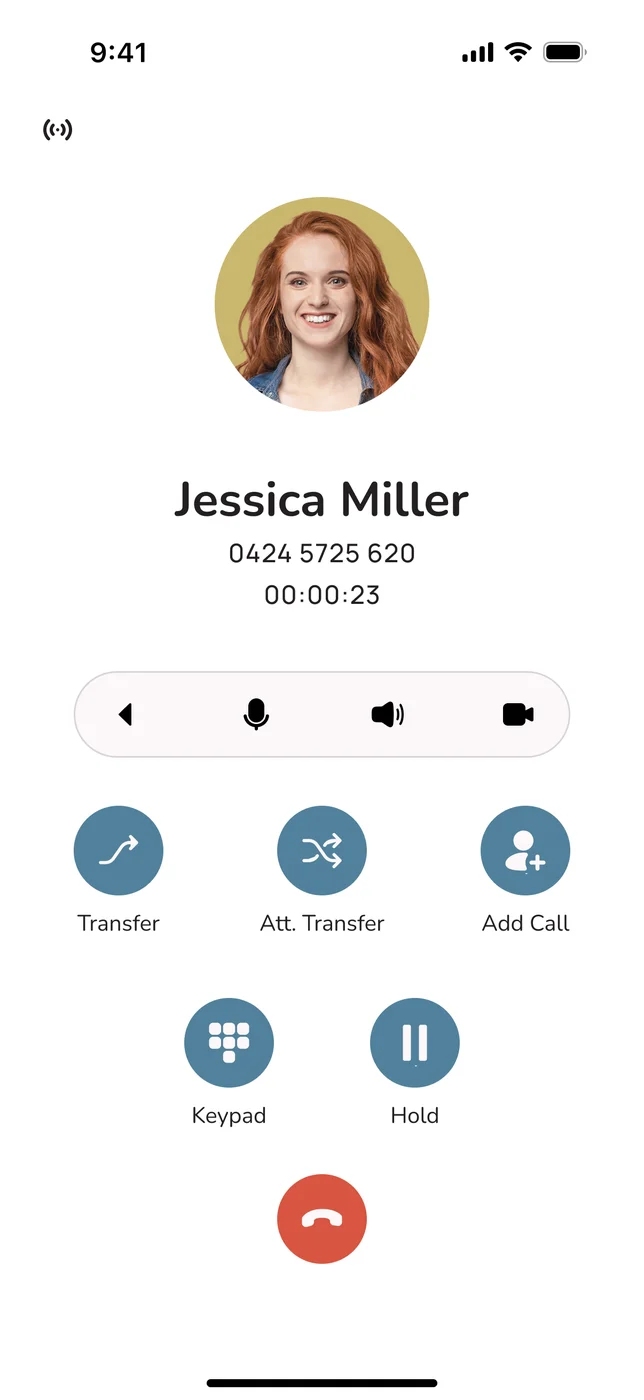
- One business number, many people. The main number rings everyone in a ring group or queue at once, on their mobile app, laptop or desk phone. Whoever is free answers.
- Calls go out on the business number. When staff call or text a customer from the app, the customer sees the business, not a private mobile. Personal numbers stay personal.
- Business hours that actually work. Outside your hours, calls go to voicemail, an after-hours message or an AI receptionist, and staff phones stop ringing.
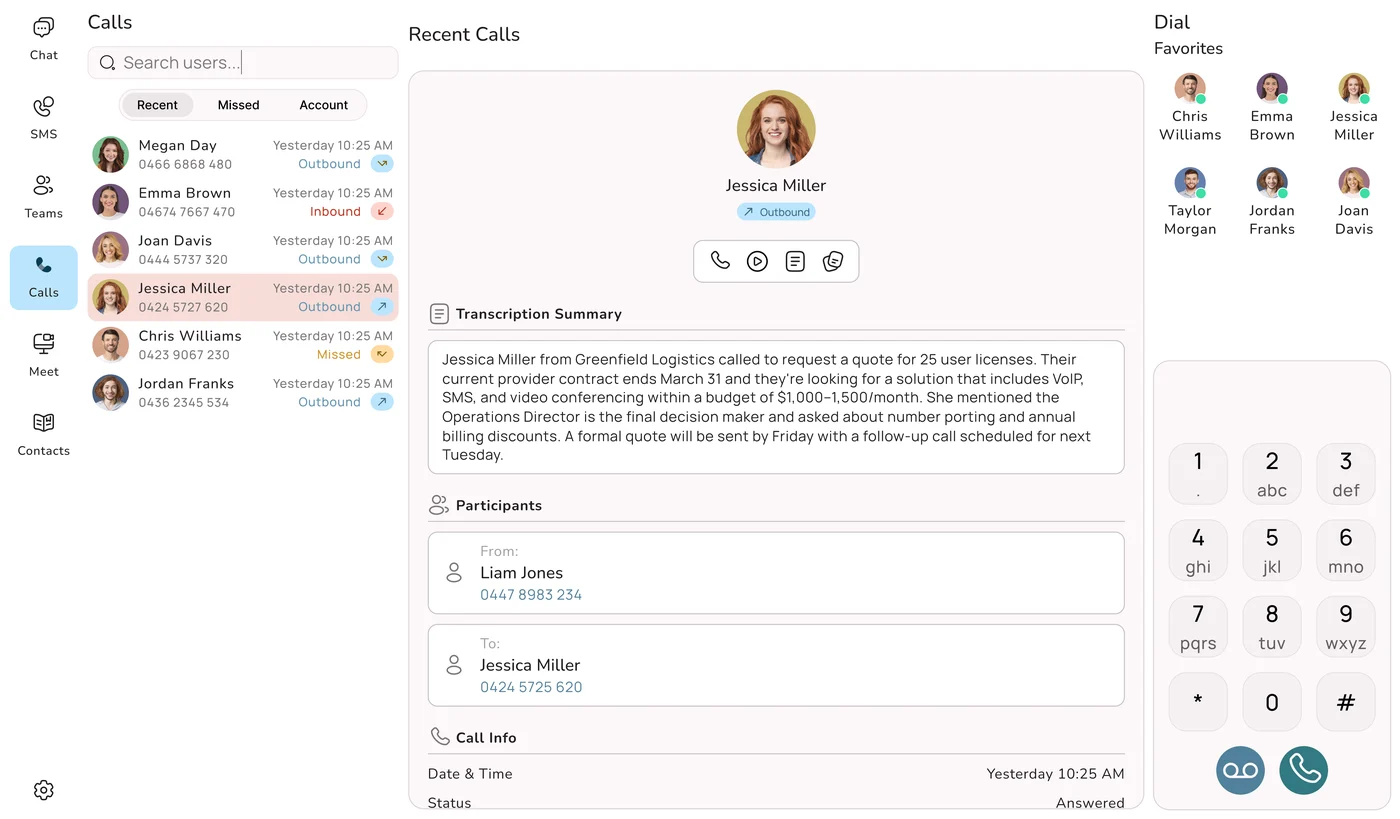
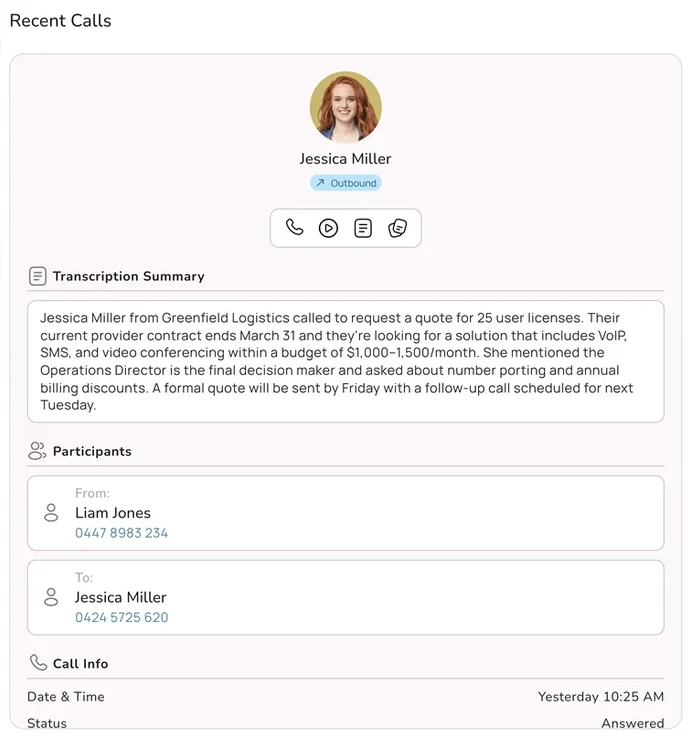
- Nothing gets lost. Voicemails arrive by email. Calls can be recorded and summarised. The call log shows every missed call, so someone can return it.
- The business holds the number. If someone leaves, you remove them as a user and reroute their line. The customers stay with you.
- Team chat and customer SMS in one place. Chat, group chat and texting from business numbers sit in the same app as the calls, under the business's control.
The biggest change is psychological. The business stops depending on one person being reachable every minute of the day, which is usually the thing that has been holding it back.
What You Get to Keep
The most common reason owners put this off is fear of losing something. In most cases you lose nothing.
- Your existing number. If your business mobile or landline is in your name (or the business's name), you can usually port it to a business phone system. The number customers already have keeps working. If the number is a personal mobile you want to keep for family, you can instead get a new business number and divert or announce the change.
- Your mobile. The same phone, now with a business app on it. Calls on the business line ring through the app, and you choose when it rings.
- Quick messaging. The team still gets fast chat and group chat, just in an app the business controls, next to the calls and customer texts.
- WhatsApp for your personal life. Keep it for family and friends. It is only the business that moves.
If you want to start smaller, our guide to setting up a business number on your mobile walks through the simplest version step by step.
Making the Move in a Week
For a small business, the switch is a week of light work, not a project. The order matters: build the new line first and move the number last, so customers never hit a dead number.
- List where your number appears. Website, Google profile, vehicles, signs, invoices, email signatures, directories. Note the people who ring you most.
- Decide which number stays. Port the number that is already printed everywhere if it is in your name. Keep your personal mobile number for personal calls.
- Set up the team. Install the app on each phone and laptop, put everyone who answers customers in a ring group, set your business hours and record a short greeting.
- Move the work chat. Create the same groups in the business app, post there first for a week, then archive the WhatsApp group and remove customer details from it.
- Move the number and tell people. Once the port completes, text your regular customers from the business number so they save it, and update anything on your list that showed a different number.
- Set one house rule. Customer calls and texts go through the business app, never a personal number. That single rule does most of the work.
Do not cancel the old number first
A disconnected number goes into quarantine and cannot be ported, so cancelling it before the move is the one mistake you cannot undo. Let the port finish, then close the old service if you no longer need it.
Doing It With Uniden Voice
Uniden has been putting phones on Australian desks since Uniden Australia started in 1989, and the company behind the brand goes back to Japan in 1966. Uniden Voice brings that to the cloud. It is Australian owned and operated, and hosted and supported in Australia. Everything in the list above works out of the box:
- Mobile and desktop apps for iOS, Android, Windows and Mac. Calls and SMS go out on the business number. Sign-in uses a link emailed to the staff member, with no password to share, and new devices need approval from a trusted one.
- Ring groups, queues and business hours set in the Customer Portal, with mobiles and desk phones in the same group.
- Voicemail to email, call recording and AI summaries in the call log, with optional storage in your own OneDrive or Google Drive.
- Team chat and business SMS in the same app, with SMS access given per number by an admin. Uniden Voice is an ACMA approved provider for verified SMS sender IDs.
- Vocky, the AI receptionist, answers when nobody can, takes details, books jobs and passes a summary to the right person.
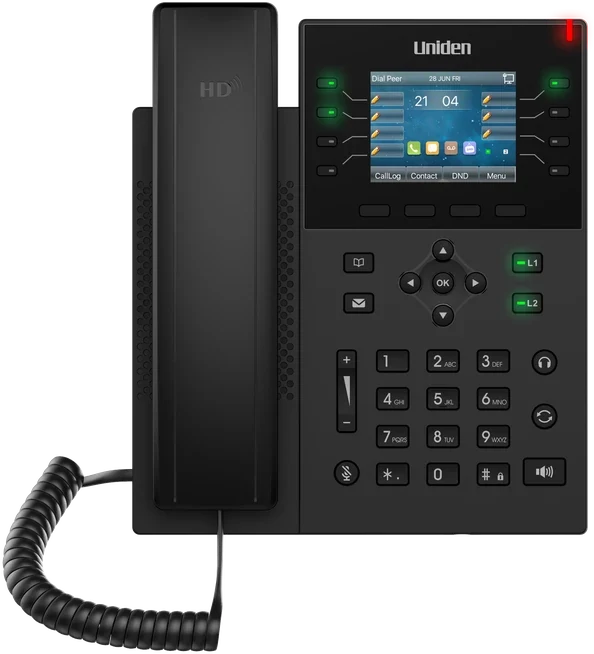
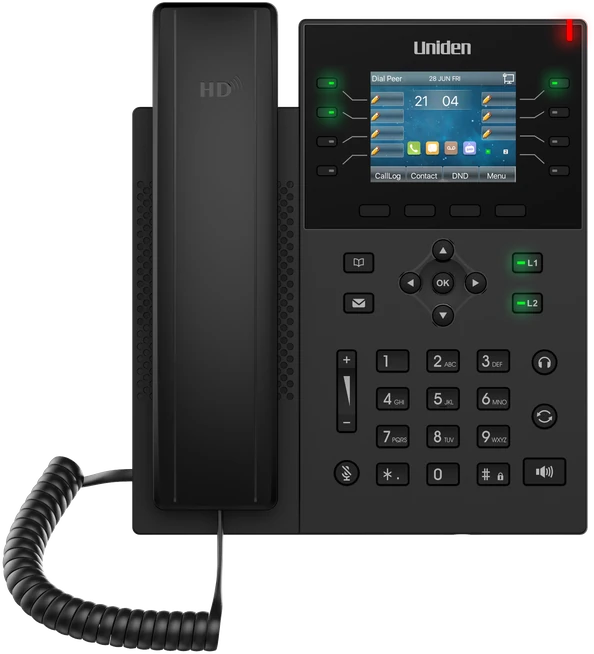
- Desk phones like the Uniden EVOC2 for a counter or office, ringing on the same number as everyone's app.
Setup and porting are free, and adding or removing a user takes a minute in the portal, with no IT department needed. Our local support team is on 1300 881 662, Monday to Friday, 9am to 5pm AEST.