






















Twelve Signs, Scored
Go through these with whoever answers the phones most, not just whoever pays the bill. The weightings reflect how much each sign usually costs a business, so a system can score high on a few serious signs or on a lot of small ones. Be honest rather than hopeful. Nobody else sees the total.
| Sign | Points | Why it carries that weight |
|---|---|---|
| 1. The manufacturer no longer sells or supports your system | 3 | No firmware, no security fixes, no new parts. Every repair from here is second hand or improvised. |
| 2. Only one technician, or one company, can work on it | 3 | That person is now a single point of failure for your whole front door. When they retire or move on, so does your support. |
| 3. Staff give customers their personal mobile numbers | 3 | The system cannot follow people, so they route around it. Customer relationships end up on phones the business does not own. |
| 4. After hours calls go to a voicemail nobody checks until the next working day | 2 | Callers who hear voicemail on a Saturday often ring the next business on the list. You never see those calls as lost. |
| 5. Messages are written on paper or typed up after the call | 2 | Details get lost between the call and the record, and nobody can search what a customer said last month. |
| 6. You cannot say how many calls you missed yesterday | 2 | If a system cannot count missed and abandoned calls, nobody is managing them. |
| 7. Moving a desk or adding a person needs a technician visit | 1 | Small changes that should take a minute become booked jobs with a callout fee. |
| 8. Remote or hybrid staff cannot take calls on the business number | 2 | Half your team is invisible to your callers on the days they are not in the office. |
| 9. Your lines are still copper or ISDN based services | 2 | These are being retired or migrated around you, usually on someone else's timetable. |
| 10. Voicemail and system passwords have not been changed since installation | 1 | Default and old credentials on legacy systems are a known route to toll fraud. |
| 11. Callers regularly wait with no idea how long they will be | 1 | A queue with no management and no callback option is where customer patience runs out. |
| 12. You have bought replacement handsets or parts from auction or second hand sites | 2 | The clearest practical signal that the supply chain for your system has ended. |
The maximum is 24. Add yours up before reading on, because the next section only makes sense against a real number.
What Your Score Means
0 to 7
Keep it. Fix the cheap things, especially passwords and after hours routing, and score it again in twelve months.
8 to 15
Start planning. You have time to do this properly, which is the best position to upgrade from.
16+
You are already paying for an upgrade through workarounds. Every month of delay is money spent standing still.
Two combinations deserve attention whatever the total says. If you scored on both sign 1 and sign 2, meaning an unsupported system that one person can maintain, you have a business continuity problem rather than a technology preference. A single failed card in a PBX with no parts and no technician can leave you without phones for days while you scramble for a replacement you could have planned calmly. And if you scored on sign 3, staff using personal mobiles, the cost is not only lost calls. When that person leaves, their customers' phone numbers and message history leave with them.
A low score is a real answer
Plenty of businesses score under eight. A small office with a supported system, a stable team who are all on site, and a sensible after hours message may genuinely be fine. The right move there is to tidy up, not replace. Change the default passwords, set proper closure dates for public holidays, and make sure someone can see missed calls. Replacing a system that is doing its job for no reason other than age is spending money to feel modern.
The Real Cost of Keeping It
The reason old systems survive so long is that their costs arrive in small, forgettable pieces spread across different invoices. Put them in one place and the picture usually changes.
| Cost | Where it hides | How to find your number |
|---|---|---|
| Maintenance contract | An annual invoice that renews quietly, often for a system that gets no updates. | Check your accounts for the last three years of payments to your phone maintainer. |
| Callouts and changes | Separate invoices for moves, adds and faults, each small enough not to question. | Search the same supplier for anything outside the contract. |
| Parts and handsets | Credit card purchases from auction sites or refurbishers, frequently not recorded as phone costs at all. | Ask whoever does the buying. They usually remember. |
| Line rental | Monthly charges for lines, ISDN channels or fixed services you may not fully use. | Count the services on the carrier bill and compare with how many calls you actually run at once. |
| Staff mobiles used for work | Allowances or plans paid so people can be reached when the system cannot reach them. | Total the mobile costs that exist mainly because the desk phone cannot follow people. |
| Calls nobody answered | Nowhere, which is the problem. Lost enquiries do not produce an invoice. | Estimate from a normal week: missed calls times the share that were new business times what a new customer is worth. |
| Admin time | Wages spent writing messages, retyping notes and chasing callbacks. | Ask the front desk how long a day goes on it. Then multiply by working days. |
The last two rows are usually the biggest and the least visible. A worked example, clearly illustrative: a business that misses ten calls a week, where two of those are genuine new enquiries and a new customer is worth a few hundred dollars in the first year, is losing more in a month than many cloud phone plans cost in a year. You do not need precise numbers. You need a rough figure for each row so the decision is made on money rather than on habit.
The cost nobody budgets: toll fraud
Older PBX systems with remote access features, unchanged voicemail PINs or exposed maintenance ports are a well known target for criminals who break in and route expensive international calls through them, usually overnight or across a long weekend. The bill arrives weeks later, and carriers generally hold the business responsible. Systems that no longer receive security updates cannot be fixed at the source, only walled off. Our guide to phone system fraud and security covers the specific settings to check today, whether or not you upgrade.
End of Life Is Not the Day It Stops Working
Manufacturers announce end of sale, then end of support, and the system keeps ringing through both. That is why end of life is easy to ignore. What it actually means is that the risks change shape.
The clearest recent example in Australia is Panasonic. In December 2020 Panasonic announced it was leaving the global business communications market, covering its PBX and SIP phone system range including the KX-NS, KX-TDE and KX-NCP families, with a wind down of around two years. Those systems were extremely common in Australian offices, clinics and shops, and many are still running. They work. They also have no manufacturer path left: no new hardware, no new firmware, and a shrinking pool of technicians and parts. If your comms cupboard has a Panasonic unit in it, you have already scored on signs 1 and 12, and probably sign 2.
Other manufacturers have retired individual product lines on their own schedules. Rather than rely on any list, check your own system directly: find the model name on the unit, then search for the manufacturer's end of sale and end of support notices for that model. If you cannot find the model, or nobody knows who installed it, that tells you something too.
| Stage | What stops | What it means for you |
|---|---|---|
| End of sale | You can no longer buy new systems or expansion cards. | Growth now depends on second hand parts. Plan the replacement while you have time. |
| End of software support | Firmware and security updates. | Any vulnerability found from here stays open. Your only protection is isolating the system. |
| End of hardware support | Replacement parts and repairs from the manufacturer. | A single failed component can take the system down with no guaranteed fix. |
| Technician attrition | Not announced by anyone. People retire or retrain. | Callouts get slower and more expensive, then stop being available at all. |
The Network Underneath Has Already Moved
Even a perfectly maintained old system sits on connections that are changing without asking. Three shifts matter.
Copper is being retired. The NBN programme has moved most premises off the old copper telephone network, and the push to replace remaining copper with fibre continues through 2026. Systems built around analogue lines or ISDN tend to need adaptors, workarounds or new services once that happens, and those conversions often arrive at short notice. We explain the current state in the forced fibre upgrade and copper disconnection guide and the practical phone implications in what a full fibre upgrade means for your business phone.
3G is gone. Devices that relied on 3G, including some older mobile gateways, alarm diallers and lift phones connected to phone systems, stopped working when the networks closed. If your system used a 3G based device as a backup line or to route calls to mobiles, that function has already failed quietly. See the 3G shutdown aftermath for what else was affected.
Work moved. The biggest shift is not technical. Your people take calls from home, from site, from the car and from a laptop at a client's office. A phone system tied to desk sockets in one building was designed for a way of working that has mostly ended.
What Changes on an Ordinary Tuesday
It helps to picture a specific day rather than a feature list. Here is the same Tuesday before and after, for a typical twelve person business.
| Moment | On the old system | After the upgrade |
|---|---|---|
| 7.40am, a customer rings before opening | Voicemail. The message is listened to at 9.15 and returned at 10.30. | An AI agent answers, takes the details, books a callback slot and texts the customer a confirmation. |
| 9.00am, reception is on another call | The second caller rings out or hears hold music with no sense of the wait. | The call goes to a small queue with a position message, and overflows to two other staff after a set time. |
| 10.30am, a manager works from home | Calls for them go to voicemail or reception forwards their mobile number. | Their business extension rings on the app on their laptop and mobile, showing the business number, not theirs. |
| 11.15am, a long call about a quote | The staff member types notes afterwards from memory. | A written summary with the key points and follow ups is ready when the call ends. |
| 1.00pm, a new starter joins | A technician is booked to program a handset. | Someone in the office adds the user in a web portal and they are taking calls within minutes. |
| 3.30pm, a customer texts the main number | Nothing. The landline cannot receive a text. | The SMS lands in a shared inbox and whoever is free replies from the business number. |
| 5.30pm, closing | Someone has to remember to switch the night mode. | The schedule changes over by itself, including public holidays that were loaded in advance. |
None of these is dramatic on its own. Together they are the difference between a phone system your business works around and one that works for it. The call summaries in particular tend to be what staff mention first after a month. We cover how they work, and how to stay on the right side of recording law, in AI call transcription and CRM notes.
What You Can Keep
Upgrading does not mean starting again. The things that matter most to your customers come with you.
Your phone numbers
Geographic numbers, 1300 and 1800 numbers and mobile numbers can all be ported to a cloud provider. Customers keep dialling the number on your van, your website and your invoices. The steps are in how to port a business number.
Some of your handsets
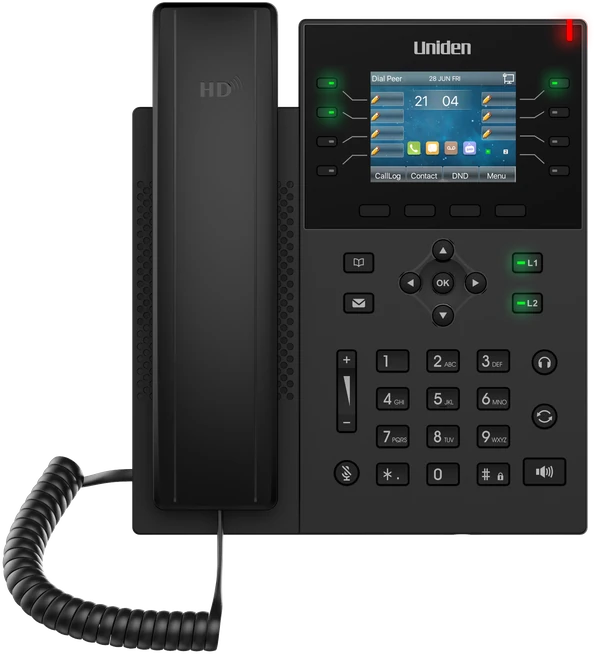
If your current desk phones are SIP handsets from mainstream makers and are not locked to an old provider, many can be re-provisioned. Proprietary digital handsets made for one PBX cannot. Check the list in supported third party SIP phones.
Your call flow, improved
How calls are answered, who they ring and what happens after hours can be rebuilt on the new platform. Most businesses take the chance to simplify menus that grew options over the years.
Your internet service
A cloud phone system runs over the business internet you already have in most cases. What matters is a stable connection and sensible setup of your router, not a special line.
What you generally leave behind is the box in the cupboard, proprietary handsets, analogue line services, and a maintenance contract. Check the notice period on that contract before you start, so its end lines up with your cutover rather than renewing for another year the week after you move.
A Six Week Upgrade Plan
The phones never go down in a properly run upgrade, because the new system is built and tested alongside the old one and the numbers move last.
| Week | What happens | What you do |
|---|---|---|
| Week 1, audit | List every number, line, extension, handset and device connected to the old system, including fax lines, alarm diallers, lift phones and door intercoms. | Walk the building with whoever knows it best. The forgotten devices are the ones that cause trouble at cutover. |
| Week 2, design | Map how calls should flow: greeting, business hours, queues, overflow, after hours, holidays. | Decide what you want, not what you had. This is the moment to fix the menu nobody likes. |
| Week 3, build | The provider sets up users, apps, handsets and call flows on temporary numbers. | Sign the porting authority and gather a recent bill for each number being moved. |
| Week 4, test | Staff use the apps and handsets for internal and outbound calls. Call flows are tested end to end. | Ring the test numbers from outside, after hours and on a mobile. Try to break it. |
| Week 5, train and port | Short training sessions by role. Port requests are lodged with a confirmed cutover date. | Pick a quiet day and time for the cutover. Warn anyone who relies on a special device. |
| Week 6, cutover and settle | Numbers move across, usually within a set window. The old system stays connected until every number is confirmed. | Check each number from outside. Then cancel the old lines and the maintenance contract in writing. |
Small offices with a handful of users and no complex numbers can move faster. Businesses with many sites, 1300 numbers across several carriers, or specialist devices may need longer, mostly because porting depends on the losing carrier. The order matters more than the pace: design before build, test before port, and cancel last. Our guide to switching to an AI phone system goes further into the setup of the AI agent itself.
Honest Answers to the Usual Objections
"It still works." It probably does, and that is not nothing. The question is whether it works for the business you are now, and what it costs to keep it working. If your score was low, keep it. If your score was high, "it still works" is describing the dial tone, not the outcome.
"What happens when the internet goes down?" A fair worry, and the honest answer is that a cloud system depends on connectivity. The mitigations are good though. Calls can fail over automatically to mobiles or another number, staff can keep taking calls on the mobile app over 4G or 5G, and a backup connection can be added for sites that cannot be without phones. Compare that with an old PBX, which has its own single points of failure: a power supply, a card, a technician's availability. We cover the options in keeping your phones working through NBN outages.
"Will call quality be worse?" On a stable business internet connection with sensible router settings, call quality is typically clearer than old analogue lines, because the audio is wideband. Where problems happen, they are usually local: a congested connection, poor Wi-Fi or a router that mishandles voice traffic. A good provider checks this before you move rather than after.
"My staff will not cope with a new system." Answering a call is the same. The things that change, like transferring or picking up a colleague's call, take a short session to learn. Most people are already using the mobile app within a day because it behaves like the phone apps they know. The staff who resist most at the start tend to be the ones who, a month later, would not go back.
"We just signed a maintenance renewal." Then plan the upgrade to land near the end of it. Use the time to do the audit and design properly. There is no prize for moving fast, only for moving well.
"It will cost too much." Put your real current costs from the table above next to a quote. Include the rows you cannot see on an invoice. Cloud pricing is per user per month, with no large upfront purchase, so it is usually easier to compare than people expect. Our older piece on upgrading affordably has more on budgeting.
Questions to Ask Before You Sign
| Ask this | A good answer sounds like |
|---|---|
| Do I own my numbers and can I port them out later? | Yes, without conditions or exit fees tied to the numbers. |
| Who handles the port and what happens if it slips? | They manage it, give you a date, and keep the old service running until it is confirmed. |
| Can any of my existing handsets be reused? | A specific answer by model, not a blanket yes or no. |
| Where is the platform hosted and where is support based? | Named Australian locations, and support staff you can actually reach. |
| What happens to calls if my internet fails? | Automatic failover you can configure yourself, plus the mobile app. |
| Is AI answering and call summarising included or extra? | A clear statement of what is in the plan and what is not. |
| What is the contract term and notice period? | Plain terms you can read in five minutes. |
| Who builds the call flow, and can I change it later myself? | They build it with you, and you can edit it in a portal without a support ticket. |
If you are comparing an on premise replacement with a cloud system, our comparison of hosted and on premise PBX sets out when each makes sense, and what a PBX actually is untangles the terminology that makes quotes hard to compare.
How We Handle an Upgrade
Most of the businesses that move to Uniden Voice over Cloud are coming from a system exactly like the ones described above, often a box that has served them well for a long time. We start with the audit, because the forgotten fax line or alarm dialler is what causes trouble on cutover day, and we build and test the new system alongside the old one so there is never a moment without phones.
Your numbers port across and stay yours. Where your existing SIP handsets are compatible we reuse them, and where they are not we can supply Uniden desk and cordless handsets built for the platform. Staff get the mobile and desktop apps from day one, so the person working from home is reachable on the business number. AI agents can answer after hours and overflow calls, call summaries are written automatically, and the platform updates itself without a technician visit. It is Australian owned, Australian hosted and supported by people in Australia who can see your setup.
If you want to see the difference quickly, the side by side on our time to upgrade page shows the old way and the new way next to each other, with short demo videos. If your score was low, we will tell you to keep what you have.